
Water Damage Repair Phone: Immediate Steps & Repair Options
A clear, step-by-step guide for what to do the moment your phone gets wet, when to try DIY triage, and when to call Fixit Solutions Inc. for professional water damage repair.
View article sections
- 01Why fast action matters for a water damage repair phone
- 02First 5 minutes: immediate steps for a water damage repair phone
- 03What NOT to do (common myths and risky moves)
- 04Safe DIY triage you can do at home
- 05When to bring your phone to a professional repair shop
- 06What a technician checks during a water damage repair phone service
- 07Costs, warranty and data recovery
- 08How Fixit Solutions Inc. handles water-damaged phones in Lake Forest
- 09When repair isn’t the right choice
- 10Preventing future water damage
- 11Summary checklist: immediate actions for a water damage repair phone
- 12Contact Fixit Solutions
- 13Frequently asked questions
- 14Related resources
- 15Sources and further reading
- 16Frequently asked questions
- 17Contact us
Why fast action matters for a water damage repair phone
Water, soda, pool water or saltwater can short circuits, corrode connectors and cause continuing damage long after the device looks dry. The phone’s internal components and battery are at risk the moment liquid reaches them, so the first steps you take affect whether a repair is possible or permanent failure occurs.
Manufacturer guidance and professional repair communities consistently warn that you should not plug in or charge a wet device and that liquid exposure can void standard warranties—so rapid, correct triage is essential. (
First 5 minutes: immediate steps for a water damage repair phone
Follow these actions in order. Doing the wrong thing in the first minutes is the most common reason a recoverable phone becomes permanently damaged.
- Get to dry air. Remove the phone from the liquid and move to a dry, shaded place.
- Power off immediately. Turn the phone off and leave it off. Do not try to wake it or press many buttons.
- Do not charge or plug in. Charging a wet phone can cause short circuits and battery damage. Wait until technicians confirm it is safe. (
- Remove accessories and SIM card. Take off the case, unplug headphones and remove the SIM tray or memory card if your model allows it—this helps airflow and prevents trapped moisture.
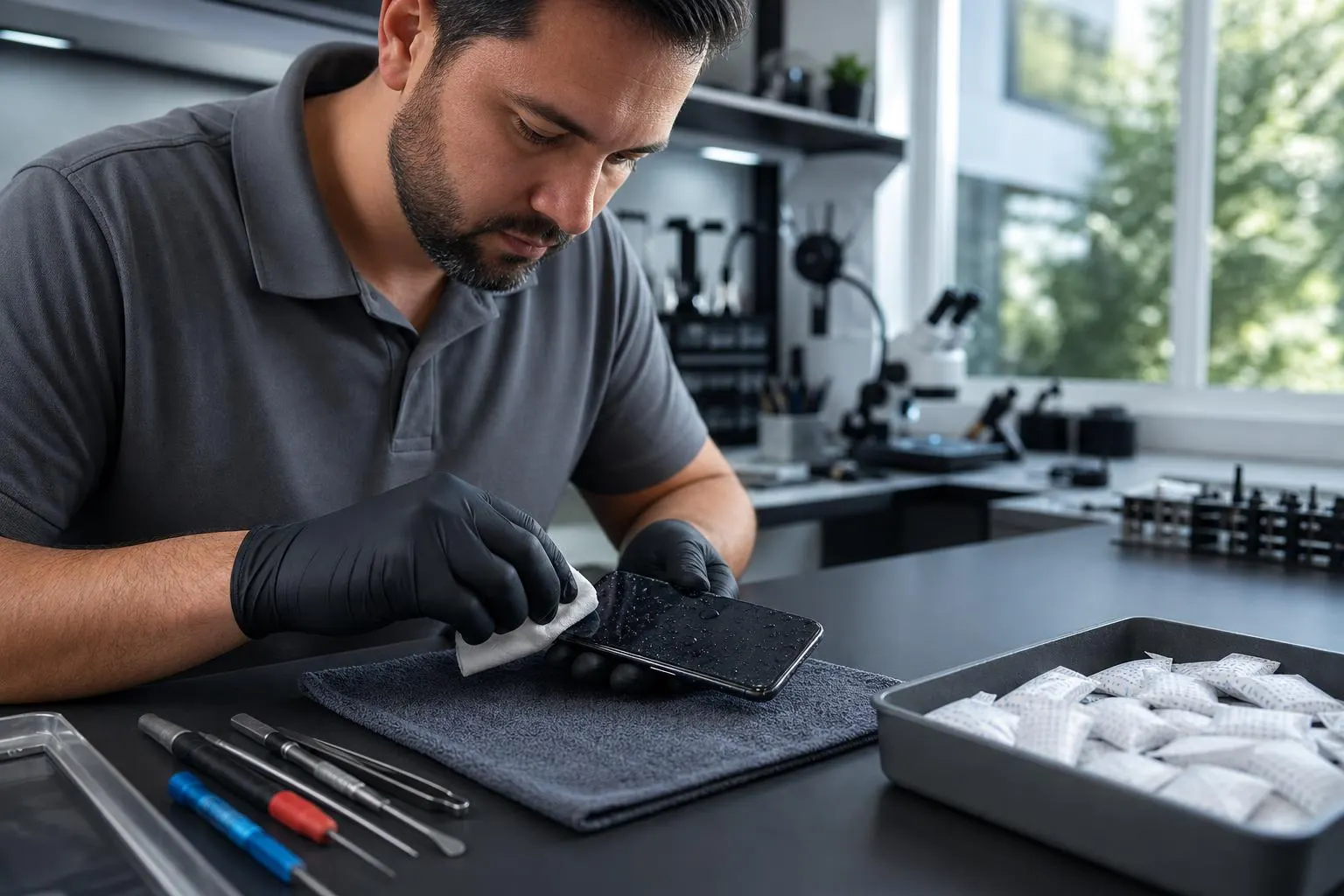
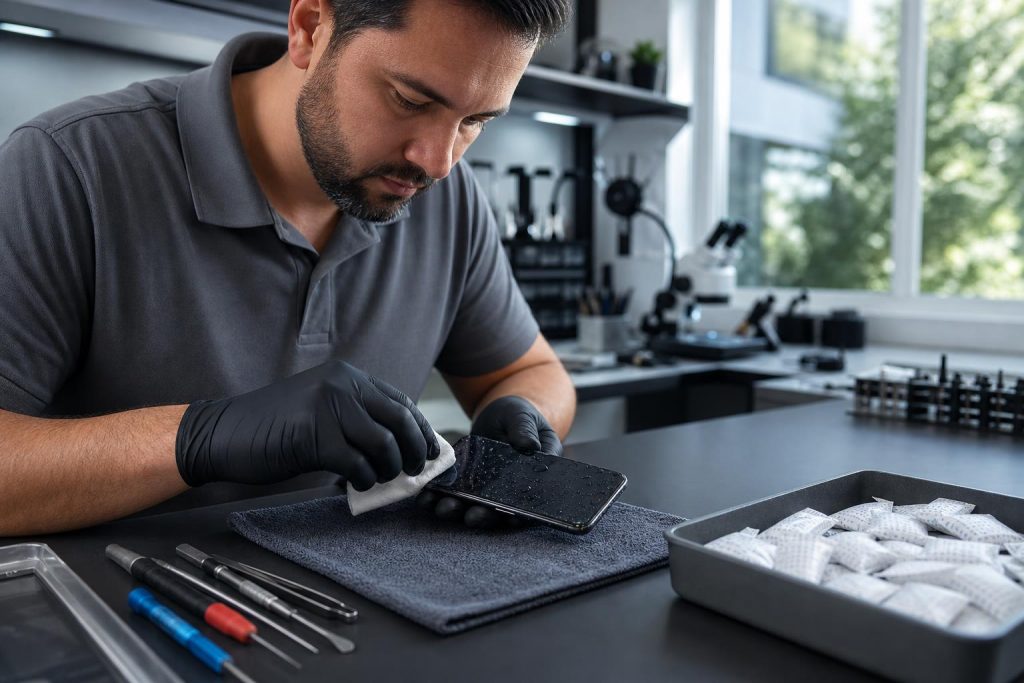
- Blot, don’t shake. Use a lint-free cloth to gently blot visible moisture; avoid shaking or blowing into ports, which can push liquid deeper.
What NOT to do (common myths and risky moves)
- Do not put your phone in rice. Rice can trap dust and starch particles and is not a reliable drying method. Professional guides say rice is a myth; open air drying or proper drying kits are better. (
- Do not heat the phone. Avoid hairdryers, ovens or microwaves—excess heat can warp components and damage adhesives.
- Don’t assume IP ratings make it waterproof forever. Water resistance can decline with drops, repairs, or normal wear—exposure still risks damage. (
- Don’t attempt quick-power tests. Turning the phone on to “see if it works” can short the board if moisture remains.
Safe DIY triage you can do at home
If professional help is not immediately available, these low-risk actions can reduce damage while you arrange repair:
- Leave the device powered off and in a dry place with good airflow.
- Place the phone on a towel in a cool, dry room. Stand it upright (screen facing you) to encourage drainage from ports and speakers.
- Use silica gel packets if you have them—place the phone in a sealed container with several packets for 24–48 hours. Silica is preferable to rice.
- For saltwater or pool exposure, some manufacturers recommend rinsing with clean freshwater first to remove salts and chemicals that accelerate corrosion—but only if you can do this safely and then follow drying steps. This is model- and situation-dependent; when in doubt, skip rinsing and seek professional help. (
When to bring your phone to a professional repair shop
If the phone was submerged, exposed to sugary drinks, seawater or you see visible malfunction after drying (random reboots, distorted audio, unresponsive screen, charging problems), bring it in. Repair shops can:
- Open the device safely and inspect liquid contact indicators and internal corrosion.
- Disconnect and test the battery and high-risk components to minimize risk of shorted circuits.
- Ultrasonically clean corrosion, remove residue, and replace damaged connectors, batteries or boards when feasible. (
What a technician checks during a water damage repair phone service
- Liquid contact indicators (LCIs) show whether the interior has seen liquid; this affects warranty status and repair approach. (
- Battery health and swelling—damaged batteries are a fire risk and are replaced first if needed.
- Connector and port corrosion—these are cleaned or replaced to restore charging and data connections.
- Logic board inspection—technicians look for corrosion or shorted components and may perform targeted cleaning with isopropyl alcohol and specialized tools. (
- Functional testing of screen, speakers, microphones, cameras, sensors and wireless radios before returning the device.
Costs, warranty and data recovery
Liquid damage is often excluded from standard manufacturer warranties and may require out-of-warranty service or component replacement. Apple’s warranty and many manufacturers exclude damage caused by liquid contact. (
Repair costs vary widely by model and which parts need replacement. In some cases, repairing a newer phone’s logic board may be cost-effective; in other cases a device replacement makes more sense. If your priority is data, tell the technician—data recovery efforts (board-level repair, chip-off, or diagnostics) are possible but add cost and require professional equipment.
How Fixit Solutions Inc. handles water-damaged phones in Lake Forest
At Fixit Solutions Inc., we begin with an honest, documented diagnosis and provide clear estimates before any work starts. Our water-damage repair workflow includes safe device intake, diagnostic testing, corrosion cleaning, targeted part replacement (screens, batteries, connectors) and full functional testing. We prioritize data integrity and will discuss data‑recovery options up front when needed.
Hours: Monday–Saturday, 9:30 AM–6:00 PM. Visit our shop at 23361 El Toro Rd Suite 107, Lake Forest, CA 92630, or call us at (878) 787-6642 to schedule a diagnosis and free estimate.
When repair isn’t the right choice
Sometimes the cost of board-level repairs and multiple part replacements approaches the cost of replacement. Consider replacement if:
- The phone has multiple failing subsystems (battery + screen + logic issues).
- Repair cost approaches a large fraction of device replacement.
- Extensive corrosion has permanently damaged the logic board.
A reliable technician will explain options and costs so you can choose repair, partial repair (to recover data), or replacement.
Preventing future water damage
- Use a protective case with a proven water-resistant rating and a screen protector.
- Back up your phone regularly to iCloud, Google Drive, or local backups—this makes data recovery simpler if water damage is irreparable.
- Consider AppleCare+ or equivalent protection for accidental damage if you frequently use your phone near water. (
Summary checklist: immediate actions for a water damage repair phone
- Turn the phone off and remove it from water.
- Remove case and SIM card; blot visible moisture.
- Do not charge, heat, or insert objects into ports.
- Place upright in dry, ventilated area; use silica gel if available.
- Bring to Fixit Solutions for professional diagnosis within 24–48 hours if possible.
Contact Fixit Solutions
Fixit Solutions Inc. provides honest diagnostics, clear estimates and experienced water-damage repair for phones and other devices across Lake Forest and nearby Orange County. Contact Fixit Solutions today to request a free estimate, schedule a repair or discuss business technology needs: call (878) 787-6642 or email support@xfixit.com.
Frequently asked questions
1. How long should I wait before turning my phone on after it got wet?
Wait at least 24–48 hours of controlled drying and ideally have a technician inspect it; powering on too early can cause short circuits. If you must check in an emergency, ensure the ports and battery area are fully dry and use wireless power only if supported and dry. (
2. Will my warranty cover water damage?
Most standard warranties exclude liquid damage. Check your warranty or AppleCare/extended plans for accidental damage coverage; otherwise expect out-of-warranty repair fees. (
3. Is rice really bad for drying a phone?
Rice is an old myth—experts and repair guides discourage it because rice dust and starch can make internal problems worse. Use silica gel packets or professional drying methods instead. (
4. Can you recover data from a water-damaged phone?
Often yes—technicians can repair or temporarily power parts to extract data. Recovery depends on damage extent; inform the technician if data is your priority so they can use the appropriate methods.
5. How long does a typical water damage repair take?
Simple cleaning and part replacement can take 1–3 business days depending on parts availability. Board-level work or data recovery may take longer; Fixit Solutions will provide an estimated timeline with your estimate.
6. Do you service other devices with liquid damage?
Yes. Fixit Solutions repairs tablets, laptops and game consoles damaged by liquid—reach out for a device-specific diagnosis and estimate.
Sources and further reading
- Apple: splash, water, and dust resistance — Manufacturer guidance about not charging wet devices, limits of water resistance and how liquid contact can affect device safety and warranty status.
Frequently asked questions
How long should I wait before turning my phone on after it got wet?
Wait at least 24–48 hours of controlled drying and ideally have a technician inspect it; powering on too early can cause short circuits. If you must check in an emergency, ensure the ports and battery area are fully dry and use wireless power only if supported and dry.
Will my warranty cover water damage?
Most standard warranties exclude liquid damage. Check your warranty or any accidental-damage plan you purchased—otherwise expect out-of-warranty repair fees and diagnostic charges.
Is rice really bad for drying a phone?
Rice is a myth for drying electronics. It can introduce dust and starch and does not reliably remove internal moisture. Use silica gel packets or professional drying methods instead.
Can you recover data from a water-damaged phone?
Often yes—technicians can repair or temporarily power parts to extract data. Success depends on damage extent; tell the technician if data recovery is your main goal so they can prioritize appropriate methods.
How long does a typical water damage repair take?
Simple cleaning and part replacement can take 1–3 business days depending on parts availability. Board-level repairs or data recovery may take longer; Fixit Solutions provides a timeline with your estimate.
Contact us
𝔽𝕚𝕩𝕚𝕥 𝕊𝕠𝕝𝕦𝕥𝕚𝕠𝕟𝕤 𝕚𝕟𝕔
23361 El Toro Rd Suite 107 Lake forest CA 92630
Service area: Lake Forest,
Phone: 8787876642
Email: support@xfixit.com
Hours: Monday–Saturday, 9:30 AM–6:00 PM
Contact Fixit Solutions today to request a free estimate, schedule a repair or discuss your business technology needs.