
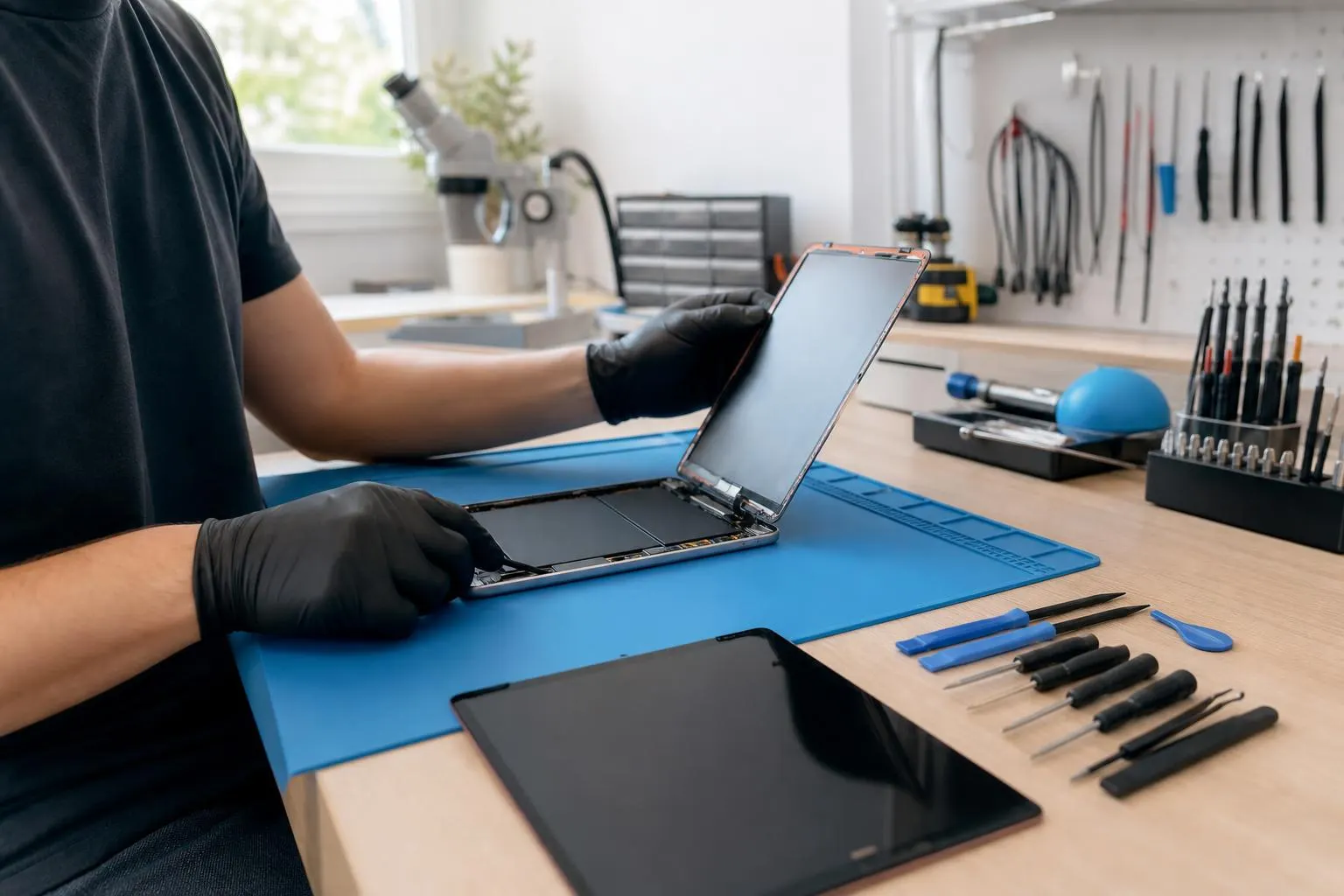
iPad Repair Lake Forest — Fixit Solutions Inc.
Fast, honest iPad repair in Lake Forest: screen, battery, charging port, liquid inspection and data-safe diagnostics from experienced local technicians.
View article sections
- 01Trusted iPad Repair Lake Forest — same-day estimates, clear options
- 02Common iPad repairs we handle
- 03Why choose local iPad repair in Lake Forest
- 04Our diagnostic and repair process
- 05Turnaround times, parts and quality
- 06Data safety, backup and privacy
- 07Apple warranty, AppleCare and liquid damage — what to expect
- 08Immediate steps if your iPad was exposed to liquid
- 09How we price repairs and what we won’t do
- 10How to decide between Apple service and local repair
- 11Choosing the right repair shop in Lake Forest
- 12Fixit Solutions — location, hours and contact
- 13Related services in Lake Forest
- 14What to expect after repair
- 15Schedule a diagnostic
- 16Sources and further reading
- 17Frequently asked questions
- 18Contact us
Trusted iPad Repair Lake Forest — same-day estimates, clear options
If your iPad has a cracked screen, a battery that won’t hold a charge, a faulty charging port, or possible liquid exposure, Fixit Solutions Inc. offers local iPad repair in Lake Forest with honest diagnostics and clear repair choices. We explain options and provide an estimate before any work begins.
Common iPad repairs we handle
- Screen and glass replacement (touch or display issues)
- Battery replacement and battery health troubleshooting
- Charging-port repair and connectivity troubleshooting
- Liquid-damage inspection, corrosion cleaning and repair planning
- Camera, microphone and speaker repairs
- Data recovery and device diagnosis
Why choose local iPad repair in Lake Forest
Choosing a local shop usually means faster turnaround, direct communication and the option to leave your device for in-store inspection. At Fixit Solutions we combine professional tools and trained technicians with transparent service steps so you know what will be repaired and why.
Our diagnostic and repair process
We follow a standard, step-by-step process so repairs are thorough and predictable:
- Intake & visual check: confirm model and visible damage.
- Non-destructive tests: check charging, touch response, battery behavior and system diagnostics.
- Estimate & options: we explain possible fixes, parts involved, risks and a firm estimate before any repair begins.
- Repair with documented parts: if you approve, we proceed using quality replacement parts and industry-standard tools.
- Final test & customer sign-off: full functional test and walk-through of completed work.
We never start paid repairs without your authorization. Repair availability and turnaround depend on the device model, the damage, and parts availability.
Turnaround times, parts and quality
Simple screen or battery jobs are often completed in a day or two when parts are in stock. More complex issues—liquid damage, logic-board faults, or rare parts for older iPads—can take longer. We source high-quality parts and document the repair; where factory (Apple) parts are required or recommended we’ll explain the tradeoffs.
Data safety, backup and privacy
Back up your iPad before dropping it off when possible. If the device won’t turn on we still perform diagnosis with care; some repairs or data-recovery work can require component-level servicing. We treat customer data confidentially and will not access unnecessary personal files while troubleshooting.
Apple warranty, AppleCare and liquid damage — what to expect
Apple’s limited warranty and AppleCare+ have specific coverage rules for batteries, screens and accidental damage. Apple documents repair and service options for iPad and notes that liquid-related repairs can be excluded from limited warranty coverage. If your iPad is under AppleCare or still within warranty, we’ll help you evaluate whether to use Apple service or an independent repair shop. (
Independent repair shops can often perform out-of-warranty fixes and provide faster local service, but factory repair or replacement through Apple may be needed for certain issues (especially where Apple specifies whole-unit servicing). We’ll clearly explain which route best meets your needs.
Immediate steps if your iPad was exposed to liquid
Time matters after liquid exposure. Important early actions include powering the device off (if it’s still on), not plugging it in, and bringing it in for inspection promptly. Avoid common internet myths like putting the device in rice; professional inspection, drying and corrosion cleaning are the reliable steps to maximize recovery. (
If corrosion has started or the device has been powered while wet, damage can progress quickly. Our liquid-damage assessments identify what’s repairable, what needs replacement, and whether data-recovery work is possible.
How we price repairs and what we won’t do
We provide a written estimate before repair work starts. Pricing depends on parts, labor and the complexity of the job. We do not perform unnecessary repairs and we will not replace parts without your approval. We also avoid low-quality parts that can reduce lifespan or interfere with software updates.
How to decide between Apple service and local repair
- Use Apple service if your iPad is covered under warranty or AppleCare+ and you want factory parts and service. (
- Choose a trusted local shop if you need faster turnaround, a lower out-of-pocket cost, or repairs for devices out of warranty.
- For liquid damage, get a professional inspection quickly—some damage is salvageable if treated promptly. (
Choosing the right repair shop in Lake Forest
Look for clear estimates, written warranties on workmanship (where offered), documented parts used, and technicians who explain risks and alternatives. Read local reviews, confirm business hours, and ask about data-handling procedures.
Fixit Solutions — location, hours and contact
Fixit Solutions Inc.
23361 El Toro Rd Suite 107
Lake Forest, CA 92630
Phone: 878‑787‑6642
Hours: Monday–Saturday, 9:30 AM–6:00 PM
Contact Fixit Solutions today to request a free estimate, schedule a repair or discuss business technology needs. We’ll provide a clear written estimate and the repair options that best match your priorities.
Related services in Lake Forest
- iPhone Repair in Lake Forest, CA — screen, battery and more.
- MacBook Repair in Lake Forest, CA — logic board, display and battery service.
- Laptop & Computer Repair in Lake Forest — Windows and ChromeOS laptops.
- Computer Repair for Businesses, Schools and Colleges in Lake Forest — business IT, networks and on-site support.
What to expect after repair
We test functionality, charging, wireless connectivity and run a basic health check. If we replaced the display or battery, we verify touch response and charging behavior. We provide care tips to prolong the device life and instructions for returning to Apple service if the device later needs factory-level intervention.
Schedule a diagnostic
Bring your iPad to our Lake Forest storefront during business hours or call 878‑787‑6642 for an appointment. We’ll give a free estimate and explain repair options transparently.
Limitations and important notes
This page provides general information about iPad repairs and local service options. Repair availability, turnaround time and pricing depend on your specific iPad model and the extent of damage. For official Apple warranty terms or to initiate Apple service, consult Apple’s repair pages. (
Sources and further reading
- Apple iPad service and repair information — Official Apple documentation on repair options, warranty and AppleCare coverage for iPad repairs.
- iFixit liquid-damage repair guidance — Independent repair guidance on immediate steps after liquid exposure and professional cleaning/diagnosis practices.
Frequently asked questions
How long does a typical iPad screen repair take?
When parts are in stock most screen repairs are finished in one to two business days. We'll provide a more specific timeline after diagnosis; complex models or out-of-stock parts can extend turnaround.
Will replacing my iPad screen void Apple warranty or AppleCare?
Using unauthorised parts or third‑party repairs can affect Apple warranty terms. If your iPad is under AppleCare or warranty, we will explain whether Apple or local repair is the best option and what each route means for future coverage.
What should I do if my iPad got wet?
Turn it off, avoid charging it, and bring it in for professional inspection as soon as possible. Don’t rely on rice or household drying tricks—professional cleaning and corrosion removal give the best chance of recovery. (Professional sources recommend immediate inspection and specialized cleaning.)
Do you back up data before repair?
We ask customers to back up their data before drop-off when possible. If the device won’t power on we perform diagnosis carefully and discuss data-recovery options before proceeding with invasive repairs.
Are replacement parts new or refurbished?
We use high-quality replacement parts and will tell you whether a part is new or refurbished and the reason for the choice. For some fixes, factory parts via Apple are recommended and we’ll explain those tradeoffs.
How much does an iPad battery replacement cost?
Costs vary by model and whether the device is in or out of warranty. We provide an estimate after diagnosis; we do not publish blanket prices because models and parts differ.
Contact us
𝔽𝕚𝕩𝕚𝕥 𝕊𝕠𝕝𝕦𝕥𝕚𝕠𝕟𝕤 𝕚𝕟𝕔
23361 El Toro Rd Suite 107 Lake forest CA 92630
Service area: Lake Forest,
Phone: 8787876642
Email: support@xfixit.com
Hours: Monday–Saturday, 9:30 AM–6:00 PM
Contact Fixit Solutions today to request a free estimate, schedule a repair or discuss your business technology needs.