
iPhone 16 Plus Repair — Fast, Local Service in Lake Forest
Trusted local iPhone 16 Plus repair in Lake Forest: screen, battery, charging port, liquid damage, diagnostics and data recovery with clear estimates and fast turnaround.
View article sections
- 01Common iPhone 16 Plus problems we repair
- 02What to expect from a professional iPhone 16 Plus repair
- 03Genuine parts, calibration and software‑locked features
- 04How we repair displays and batteries on iPhone 16 Plus
- 05Repair process, turnaround and communication
- 06DIY: when to avoid self‑repair
- 07Preparing your iPhone for repair
- 08Pricing, warranty and parts policy
- 09Why choose Fixit Solutions in Lake Forest
- 10Nearby services and related repairs
- 11Liquid damage: inspection and realistic expectations
- 12How to get started
- 13Additional resources
- 14Contact & next steps
- 15Frequently asked questions
- 16Sources and further reading
- 17Frequently asked questions
- 18Contact us
If your iPhone 16 Plus has a cracked screen, short battery life, charging problems, or water exposure, you have reliable local options for repair. Fixit Solutions Inc. provides on-site diagnosis, transparent estimates, and a range of repairs for iPhone 16 Plus models in Lake Forest and nearby Orange County communities.
Ready to repair this iPhone?Request a current estimate or call (878) 787-6642.
Common iPhone 16 Plus problems we repair
We regularly fix the issues most owners encounter:
- Cracked or unresponsive display (glass/touch/digitizer)
- Battery replacement and charging or fast‑charge issues
- Broken or intermittent Lightning/USB‑C charging ports
- Camera or microphone faults after drops or impacts
- Liquid exposure inspections and corrosion cleaning
- Software troubleshooting, data recovery and performance optimization
What to expect from a professional iPhone 16 Plus repair
Our technicians start with a free visual inspection and diagnostic to identify hardware versus software faults. We explain repair options, parts required, estimated turnaround and any risks (for example features that rely on matched parts or calibration). If a repair requires an original Apple part or Apple Service calibration, we will explain that and help you choose the right path for your priorities: speed, cost, or retaining all factory functions.
Genuine parts, calibration and software‑locked features
Apple publishes repair manuals and service guidance for recent iPhone models, and some repairs (screen calibration, camera modules, True Tone and other feature flags) may require genuine parts or service‑assistant calibration to restore all functions. We’ll tell you up front when a repair may affect a feature that depends on an authenticated component. (
How we repair displays and batteries on iPhone 16 Plus
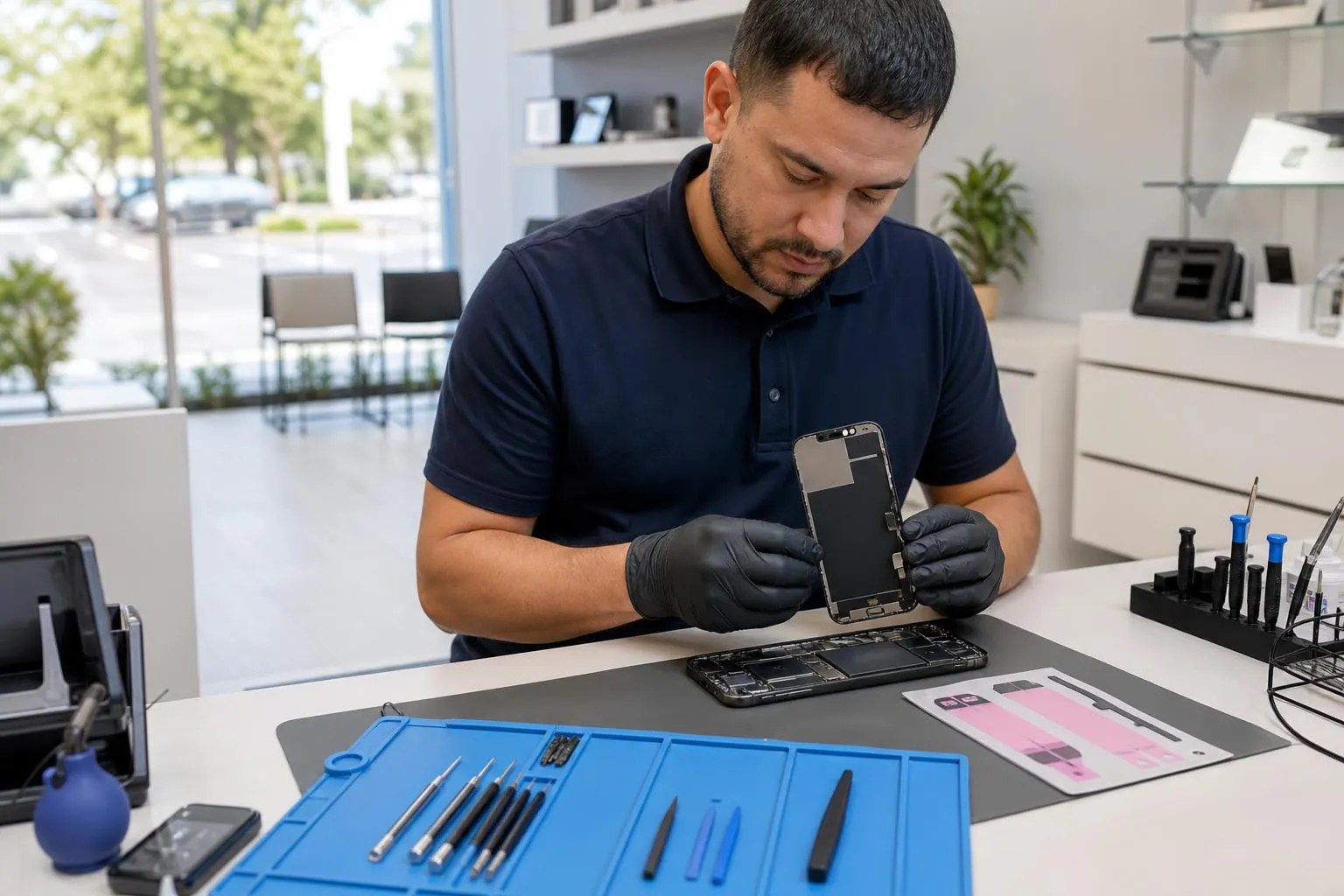
Display replacements: modern iPhone displays include complex sensors and adhesives. After replacing a screen, some settings like auto brightness or True Tone can require calibration; we follow recommended steps to restore functionality when using genuine parts. (
Battery replacements: the iPhone 16 series introduced changes that make battery removal and replacement safer and more serviceable when handled correctly — manufacturers and teardown experts note improved battery removal steps, but proper tools and training remain essential. We use safe procedures and certified replacement batteries to restore capacity while minimizing risk. (
Repair process, turnaround and communication
1) Drop off or bring the device in during our hours. 2) We perform a diagnostic and give a written estimate before any work. 3) With approval, we proceed and keep you updated if we find anything unexpected. 4) Final testing and handoff with post‑repair care advice.
Turnaround depends on the repair type, part availability and device condition. Many common repairs (screen, battery, charging port) are completed same‑day or next business day; complex board repairs, data recovery, or parts‑limited jobs can take longer. We confirm an estimated pickup time when we provide your quote.
DIY: when to avoid self‑repair
Self‑repair can save money on some simple tasks, but iPhone 16 Plus repairs involve adhesives, fragile flex cables, and calibration steps. Incorrect disassembly risks further damage, data loss, or disabling features that require authenticated parts. If you aren’t experienced with smartphone repair tools and ESD precautions, professional service reduces the chance of a costly mistake. For step‑by‑step guides, reputable repair manuals and tear‑down sites provide details you can review if you’re informed and prepared. (
Preparing your iPhone for repair
Follow these steps before you bring your iPhone 16 Plus in:
- Back up your data to iCloud or a computer when possible.
- Remove any passcodes and sign out of iCloud if we request it for service.
- Bring your Apple ID and any necessary passwords (we keep data privacy in mind at all times).
- Turn the device off and bring any accessories only if they are related to the problem (charger for power/charging issues).
Pricing, warranty and parts policy
Repair availability, turnaround and final pricing depend on the specific fault, device condition and parts availability. We provide an estimate before work begins and only proceed with your authorization. Repairs completed by Fixit Solutions include post‑repair testing and a local service warranty covering our workmanship and the parts we install (terms vary by repair type; we’ll provide details with your estimate).
Why choose Fixit Solutions in Lake Forest
- Local, experienced technicians who repair iPhone 16 Plus hardware and do software diagnostics
- Clear, written estimates and honest guidance about Apple‑authorized vs third‑party options
- Business IT services and device support if you need broader network or business continuity help
- Fast turnarounds for common repairs and careful data handling
Nearby services and related repairs
If you also need laptop or desktop service we can help — ask about our computer repair services in Lake Forest. Laptop and Computer Repair in Lake Forest, CA
Looking for more iPhone service locations? We maintain regional service pages for nearby communities: iPhone Repair in Lake Forest, CA, Professional iPhone Repair Laguna Niguel, CA, and our main iPhone service overview page Fast, Trusted iPhone Repair Near You — Fixit Solutions.
Liquid damage: inspection and realistic expectations
We offer a thorough liquid‑damage inspection to determine corrosion and component failures. Sometimes a device powers on but has hidden corrosion; other times a single component replacement restores full function. If corrosion has progressed to logic‑board level damage, we’ll explain repair complexity and costs so you can decide whether to repair or replace.
How to get started
Visit our shop at 23361 El Toro Rd Suite 107, Lake Forest, CA 92630 during business hours (Monday–Saturday, 9:30 AM–6:00 PM) or call (878) 787‑6642 to request a free estimate or schedule a diagnostic. We’ll provide options tailored to your priorities: speed, preserving factory features, or minimizing cost.
Typical workflow summary
- Free visual inspection and diagnostic
- Written estimate and approval
- Repair with testing and calibration
- Return and post‑repair care guidance
Additional resources
For detailed official guidance on Apple service and repair resources, Apple’s repair and service pages provide model‑specific information and official options. (
For detailed step‑by‑step repair guides and teardown insights (useful if you want to understand the repair complexity), reputable teardown and repair sites document iPhone 16 Plus disassembly and the updated approaches Apple and repairers use for battery and screen work. (
Contact & next steps
Contact Fixit Solutions today to request a free estimate, schedule a repair or discuss broader business IT needs. Call (878) 787‑6642, email support@xfixit.com, or stop by our Lake Forest shop at 23361 El Toro Rd Suite 107. We’ll diagnose your iPhone 16 Plus and explain practical, honest repair options.
Frequently asked questions
How long does iPhone 16 Plus screen replacement usually take?
Many display repairs are completed same‑day or next business day depending on part stock and device condition. We provide an estimated pickup time with your written quote.
Will replacing the screen or battery disable features like True Tone?
Some features that depend on authenticated components can require calibration or genuine parts to restore. We’ll explain whether a repair path will preserve those features and, when necessary, recommend an Apple‑authorized option. (
Can you recover data from an iPhone 16 Plus that won’t boot?
Often yes — we begin with diagnostics to identify whether the problem is a recoverable storage issue, a corrupted OS, or hardware failure. Data recovery success depends on the damage type and whether the storage itself is physically failed.
Is it safe to have a third‑party shop repair my iPhone 16 Plus?
Reputable local shops follow ESD precautions, use quality parts, and provide workmanship warranties. We’re transparent about when Apple‑authorized service is the safer choice for preserving specific features or warranty coverage.
Do you offer warranties on repairs?
Yes. Repair warranties vary by repair type and part, and we supply warranty details with each estimate so you know what is covered and for how long.
Sources and further reading
- Apple repair manuals and service guidance — Official Apple repair guidance and model‑specific service information about parts, calibration and authorized repair processes.
- iFixit iPhone 16 Plus repair guide and teardown insights — A detailed, hands‑on repair guide and teardown insights that illustrate repair complexity, battery removal changes and safe procedures for screens and batteries.
Frequently asked questions
How long does iPhone 16 Plus screen replacement usually take?
Many display repairs are completed same‑day or next business day depending on part stock and device condition. Fixit Solutions provides an estimated pickup time with your written quote.
Will replacing the screen or battery disable features like True Tone?
Some features that depend on authenticated components can require calibration or genuine parts to restore. We’ll explain whether a repair path will preserve those features and recommend an Apple‑authorized option when necessary. (See Apple repair guidance for details.)
Can you recover data from an iPhone 16 Plus that won’t boot?
Often yes — we start with diagnostics to determine if the issue is recoverable storage, corrupted OS, or hardware failure. Data recovery success depends on the type and extent of damage.
Is it safe to have a third‑party shop repair my iPhone 16 Plus?
Reputable local shops follow ESD precautions, use quality parts, and provide workmanship warranties. We’re transparent about when Apple‑authorized service is the safer choice for preserving specific features or warranty coverage.
Do you offer warranties on repairs?
Yes. Repair warranties vary by repair type and part; Fixit Solutions supplies warranty terms with each estimate so you know what is covered and for how long.
Contact us
𝔽𝕚𝕩𝕚𝕥 𝕊𝕠𝕝𝕦𝕥𝕚𝕠𝕟𝕤 𝕚𝕟𝕔
23361 El Toro Rd Suite 107 Lake forest CA 92630
Service area: Lake Forest,
Phone: 8787876642
Email: support@xfixit.com
Hours: Monday–Saturday, 9:30 AM–6:00 PM
Contact Fixit Solutions today to request a free estimate, schedule a repair or discuss your business technology needs.
Fixit Solutions service details
- Screen warranty: Qualifying high-quality aftermarket iPhone replacement screens include a lifetime warranty against defects. A new crack, impact damage, liquid damage or other customer-caused physical damage is not covered.
- Parts options: High-quality aftermarket parts are available. OEM parts are also available for supported models, subject to current stock and sourcing.
- Repair timing: Most iPhone repairs are completed the same day. The exact estimate depends on diagnosis, damage and correct part availability.
- Walk-ins: Walk-in customers are welcome; an appointment is not required.
- Hours: Monday–Saturday, 9:30 AM–6:00 PM.
- Parking and directions: Parking is available at 23361 El Toro Rd, Suite 107, Lake Forest, CA 92630. Get directions.
- Google reviews:Read customer reviews on our Google Business Profile, including feedback about phone and iPhone repair experiences.
Warranty eligibility, repair timing and parts availability are confirmed for the specific device before service.