
Computer Repair Near Me in Lake Forest — Fixit Solutions
Find fast, local computer repair near me in Lake Forest: laptop and desktop fixes, data backup guidance, business IT support, and clear written estimates.
View article sections
- 01Finding reliable computer repair near me in Lake Forest
- 02What Fixit Solutions repairs (quick overview)
- 03Before you walk in or drop off: essential steps to protect your data
- 04How to choose the best local repair shop
- 05On-site vs in-shop repairs: which is right for you?
- 06Turnaround times, parts and pricing — what to expect
- 07Data recovery and when professionals are necessary
- 08Why local matters: benefits of choosing a Lake Forest repair shop
- 09Services, pricing clarity and warranties
- 10What to bring and what to leave at home
- 11Contact Fixit Solutions Inc. — Lake Forest computer repair near me
- 12Related local pages
- 13Frequently asked questions
- 14Final notes: smart, local repairs
- 15Sources and further reading
- 16Frequently asked questions
- 17Contact us
Finding reliable computer repair near me in Lake Forest
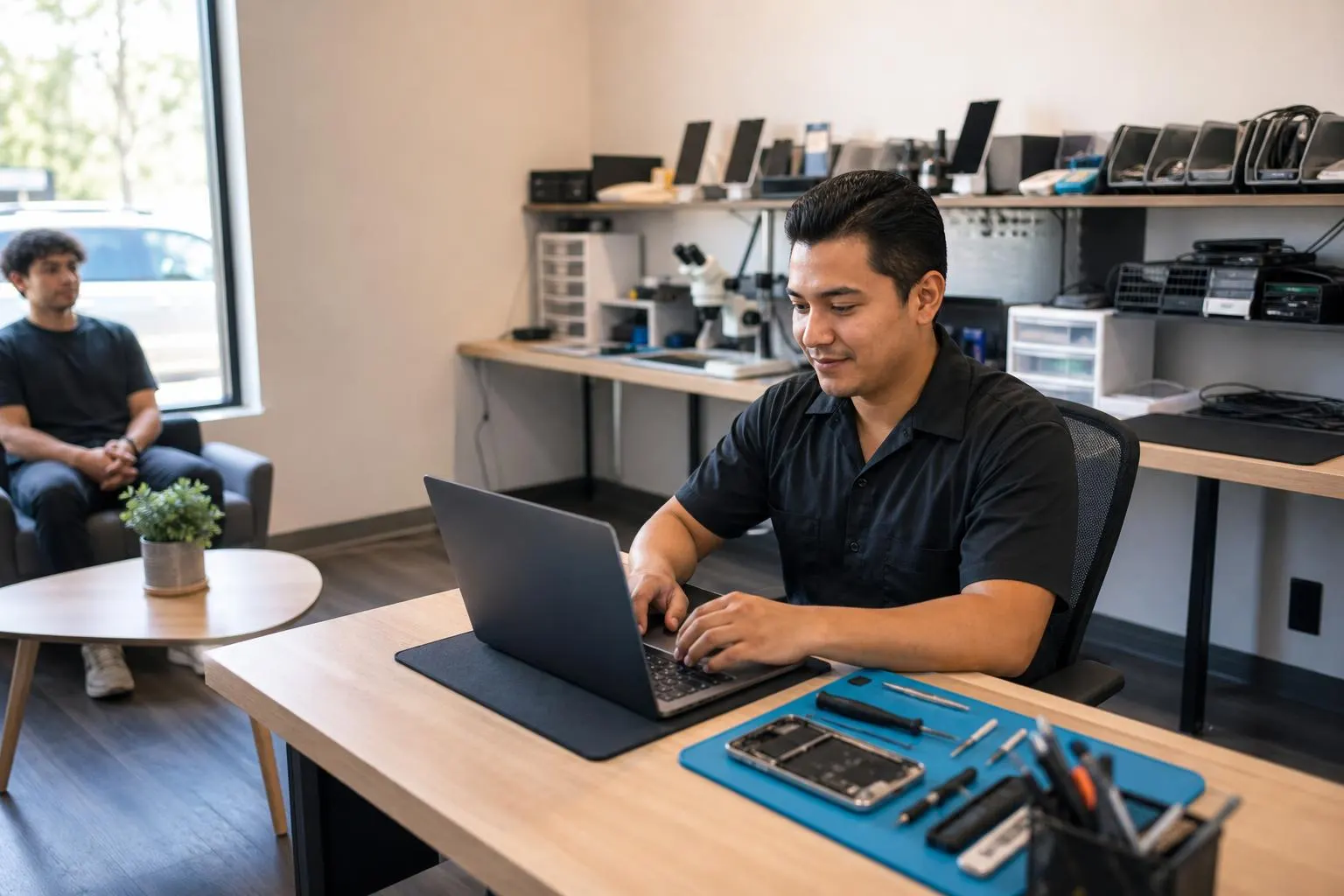
If you searched for “computer repair near me,” you want fast, trustworthy service nearby — not a long wait or a surprise bill. Fixit Solutions Inc. is a local Lake Forest repair and IT shop at 23361 El Toro Rd Suite 107 Lake Forest CA 92630 that handles laptops, desktops, Macs, tablets, phones and game consoles. We offer honest diagnoses, clear options, and estimates before any authorized work begins.
What Fixit Solutions repairs (quick overview)
- Windows laptops and desktop PCs — hardware diagnosis, HDD/SSD replacement, virus removal, OS reinstall and performance tuning.
- MacBooks and iMacs — battery and screen replacement, macOS troubleshooting, data migration.
- Tablets and smartphones — screen, battery, charging-port repair and liquid-damage inspection.
- Game consoles — PlayStation, Xbox, Nintendo (HDMI, power, optical drive issues).
- Business IT — network/Wi‑Fi installation, VoIP, managed support, POS and custom WordPress development.
Before you walk in or drop off: essential steps to protect your data
Preparing your device before repair keeps your data safe and helps the technician work faster. The single most important step is to back up your files — to an external drive or cloud storage — and verify you can restore them. If you need to remove personal information (for example, before a full service or trade-in), follow vendor guidance for factory-resetting devices and removing external storage. These precautions reduce the risk of data loss and protect your privacy when others handle your device. (
Simple, practical backup checklist
- Back up photos, documents and email to an external drive or cloud account (Google Drive, iCloud, OneDrive, etc.).
- Export browser bookmarks and save any two-factor authentication recovery codes in a secure place.
- If possible, sign out of or remove accounts, and remove any physical SD cards or USB drives.
- Note that some repairs require the OS to remain accessible — discuss with the technician before wiping the device.
When in doubt, ask the shop whether a backup is required before they begin work — many shops will not accept devices with no backup if data is at risk. (
How to choose the best local repair shop
Not all repair shops are the same. Look for shops that provide a written diagnosis and estimate, clearly list parts warranties, and explain data-handling practices. Read recent customer reviews and ask about technician experience with your exact device model. If a shop encourages DIY repairs without parts-quality checks or refuses to provide a written estimate, consider a different provider. Guides from repair experts remind consumers to ask clear questions and verify policies before handing over a device. (
Questions to ask when you call or visit
- Do you provide a written estimate and diagnostics report before work starts?
- What warranty do you provide on parts and labor?
- How do you handle customer data and privacy during repairs?
- How long will the repair likely take, and do you have the required parts in stock?
Fixit Solutions provides clear, written options and upfront pricing estimates so you can choose the approach that fits your needs.
On-site vs in-shop repairs: which is right for you?
Smaller hardware jobs (screen or battery swaps) are often quicker when done in-shop, because technicians have controlled workbenches and parts on hand. On-site visits are useful for businesses, Wi‑Fi and network installations, or servers that cannot easily leave a site. We provide both drop-off repair and business on-site support depending on the issue and urgency.
Turnaround times, parts and pricing — what to expect
Turnaround depends on the device, damage type, and parts availability. Simple fixes like battery or screen replacement can be same-day or 24–48 hours. More complex data recovery, motherboard repairs, or out-of-stock replacement parts will take longer. Fixit Solutions will evaluate your device, explain options (repair vs replacement), and provide an estimate before any work begins.
Data recovery and when professionals are necessary
Data recovery after physical drive failure or liquid damage can be expensive and is not always successful. If data is critical, stop using the device and contact a qualified technician to avoid overwriting recoverable sectors. We will explain the realistic chances of recovery and provide a written estimate for recovery work.
Why local matters: benefits of choosing a Lake Forest repair shop
- Faster turnaround and easier communication — you can drop off or pick up in person.
- Local accountability — transparent estimates and the ability to follow up quickly.
- Business-class support for offices, schools and retail locations that need on-site help or managed services.
For business-focused services, see our Computer Repair for Businesses, Schools and Colleges in Lake Forest for tailored IT packages and managed support: Computer Repair for Businesses, Schools and Colleges in Lake Forest.
Services, pricing clarity and warranties
Fixit Solutions offers clear pricing ranges during diagnosis and documents parts used. We provide parts-and-labor warranties for many common repairs — ask for the specific warranty terms for your repair when you request an estimate.
What to bring and what to leave at home
- Bring any power adapters, account passwords, and a brief written description of the problem (when it started, what you were doing).
- Remove or disable security locks if possible and remove external storage cards. If you cannot, note this when you drop off the device so the technician knows how to proceed without risking locked data.
Contact Fixit Solutions Inc. — Lake Forest computer repair near me
Address: 23361 El Toro Rd Suite 107 Lake Forest CA 92630
Hours: Monday–Saturday, 9:30 AM–6:00 PM
Phone: 8787876642
Email: support@xfixit.com
Contact Fixit Solutions today to request a free estimate, schedule a repair or discuss your business technology needs. Our team will provide a clear diagnosis and written estimate before any work begins. If you need laptop or desktop help right away, see our Laptop and Computer Repair in Lake Forest, CA page for typical services and turnaround expectations: Laptop and Computer Repair in Lake Forest, CA.
Related local pages
- Professional Computer Repair & IT Support in Lake Forest — managed IT and business services.
- PS5 Repair in Lake Forest, CA — console-specific repairs and parts.
Frequently asked questions
Q: How long will my repair take?
A: Simple repairs (battery, screen) are often same-day or 24–48 hours. Diagnostics are typically completed within one business day; we’ll provide an estimated turnaround when we give your written estimate.
Q: Do I need to back up my data before I bring my device in?
A: Yes — always back up and verify your backup before repair. If you need help with a backup, we can walk you through options before authorizing work. Backing up reduces the risk of data loss during repairs. (
Q: Will you look through my files?
A: Technicians should only access files strictly as needed to diagnose or fix the issue. We follow clear data-handling practices and will discuss any access needed before starting work; ask for this explanation when you drop off the device. Guides for choosing trustworthy shops recommend explicitly asking how a shop handles customer data. (
Q: Can you recover data from a failed hard drive?
A: Possibly — recovery depends on the type of failure. Stop using the drive to avoid overwriting recoverable data and request a recovery estimate. We’ll explain realistic success rates and costs before you authorize recovery work.
Q: Do you service business networks and on-site systems?
A: Yes. We provide on-site network setup, managed IT support, VoIP phone systems, and business-class security and backups for Lake Forest offices and nearby Orange County communities.
Final notes: smart, local repairs
Searching for “computer repair near me” should lead you to a local shop that communicates clearly, protects your data, and stands behind its work. Fixit Solutions Inc. offers in-shop and business services, honest diagnoses, and written estimates so you can decide what’s best for your device. Call 8787876642 or email support@xfixit.com to schedule a visit.
Sources and further reading
- iFixit advice on choosing a local repair shop — Repair-industry guidance on questions to ask, written estimates, and privacy practices when selecting a local technician.
Frequently asked questions
How long will my repair take?
Simple repairs (screen, battery) are often same-day or 24–48 hours. Diagnostics typically take one business day and we provide an estimated turnaround with your written estimate.
Do I need to back up my data before bringing my device in?
Yes — always back up and verify your backup before repair. If you need help, the shop can advise or assist with backup options prior to authorizing work. Backing up reduces the risk of data loss. (
Will technicians access my personal files?
Technicians should only access files necessary to diagnose or repair the issue. Ask the shop to explain its data-handling practices and request a written note of any files that must be accessed. (
Can you recover data from a failed hard drive?
Possibly. Data recovery success depends on the failure type. Stop using the drive immediately to avoid overwriting recoverable sectors and request a recovery estimate so you understand the chances and cost.
Do you offer business IT and on-site services?
Yes. Fixit Solutions provides on-site network and Wi‑Fi installation, VoIP phone systems, managed IT support, and custom business software and WordPress development for Lake Forest businesses.
Contact us
𝔽𝕚𝕩𝕚𝕥 𝕊𝕠𝕝𝕦𝕥𝕚𝕠𝕟𝕤 𝕚𝕟𝕔
23361 El Toro Rd Suite 107 Lake forest CA 92630
Service area: Lake Forest,
Phone: 8787876642
Email: support@xfixit.com
Hours: Monday–Saturday, 9:30 AM–6:00 PM
Contact Fixit Solutions today to request a free estimate, schedule a repair or discuss your business technology needs.