
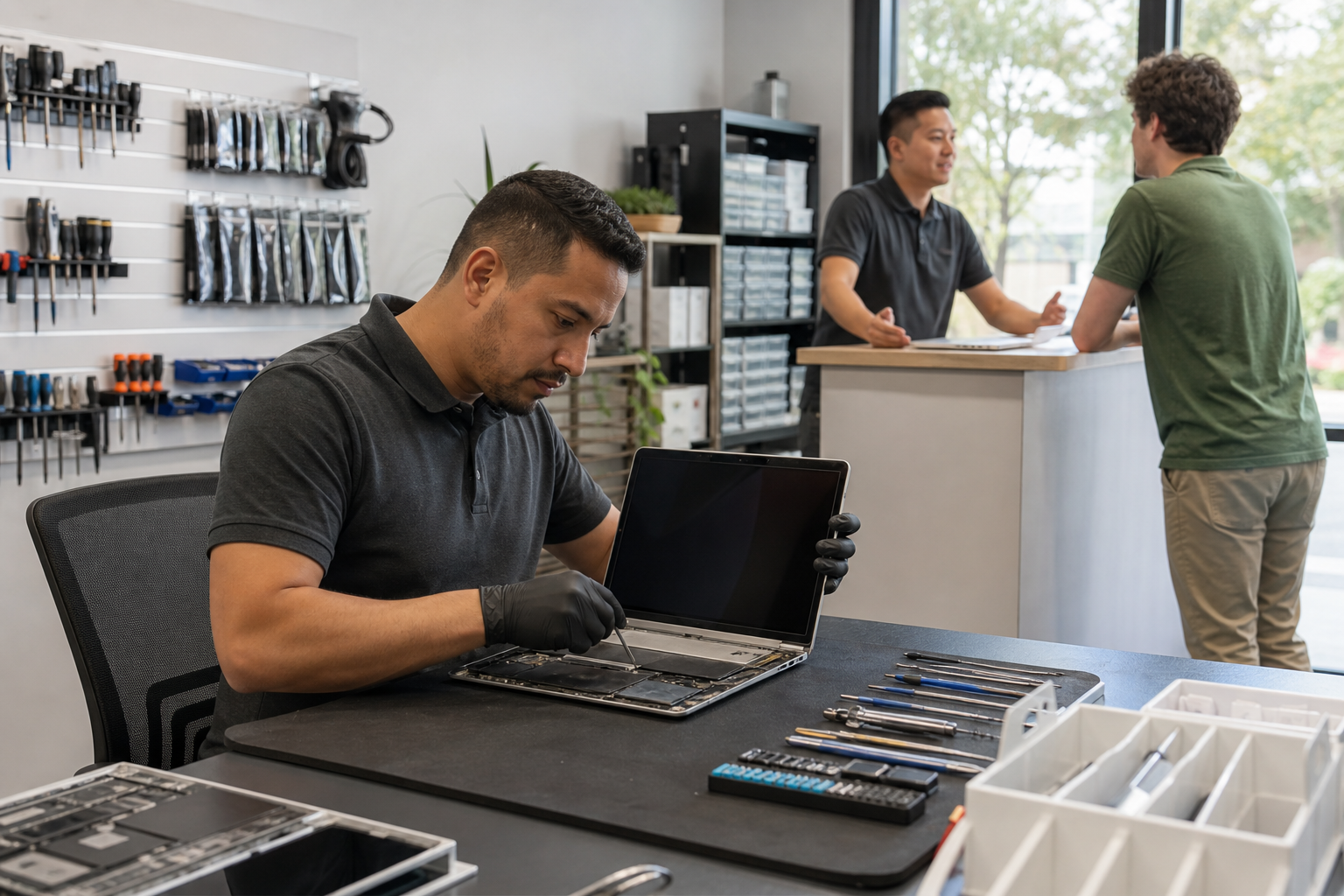
How to Choose a Computer Repair Shop in Lake Forest
Learn how to choose a computer repair shop in Lake Forest. Compare diagnostic fees, estimates, parts, warranty terms, and data-access policies, plus prepare for your visit to Fixit Solutions.
View article sections
- 01Choose a computer repair shop that handles your problem
- 02Check the location, reviews, and repair experience
- 03Ask these questions before approving work
- 04Compare repair estimates on equal terms
- 05Agree on data access before drop-off
- 06Recognize tech-support scams
- 07Decide whether repair or replacement fits your needs
- 08What to expect at Fixit Solutions in Lake Forest
- 09Checklist before leaving your computer
- 10Frequently asked questions
- 11Request a computer repair estimate
Choosing a computer repair shop in Lake Forest starts with a few practical questions: can the shop diagnose your problem, explain the cost, protect your data, and tell you what happens if the fault returns? This guide helps you compare repair providers before leaving your laptop or desktop with a technician.
Already looking for service? See our laptop and computer repair services in Lake Forest, or call Fixit Solutions at +1-878-787-6642 to request an estimate.
Choose a computer repair shop that handles your problem
First, describe what the computer does rather than guessing which part needs replacement. For example, say that it shuts off after ten minutes, shows a black screen, or only charges when the cable sits at an angle. Include the model and when the problem started.
Next, ask whether the shop works on that model and fault. A screen replacement, a software problem, and a board repair call for different skills. Our computer services overview explains the service categories available at Fixit Solutions.
Check the location, reviews, and repair experience
Confirm the physical address and current hours before traveling. Read recent reviews for details about communication, estimates, and how the shop handled problems after repair. A single star rating tells you less than several specific accounts of similar work.
Ask how the technician would test your reported symptom and what they check before returning the device. Photos of actual work and explanations of previous repairs can help you assess experience. However, a photo alone does not establish the quality of a repair.
Ask these questions before approving work
- Diagnostic fee: What does the inspection cost, and does that amount count toward the repair? What do I owe if I decline?
- Parts: Does the estimate include new, refurbished, or aftermarket parts? Which part will you install?
- Total cost: Does the quote include labor, parts, applicable tax, and any data-transfer service?
- Timing: When do you expect to finish diagnosis and repair? Will you contact me if that changes?
- Warranty: What do parts and labor coverage include, how long does coverage last, and what exclusions apply?
- Approval: Will you ask me before adding work or increasing the price?
Get these answers in writing. Also confirm whether the quote covers the cause of the problem or only the first diagnostic step.
Compare repair estimates on equal terms
The lowest headline price may cover less work. Compare the same repair scope, part specification, testing, and warranty before choosing a computer repair shop in Lake Forest.
Illustrative example: One quote for a storage-drive replacement might include only the drive and installation. Another might also include operating-system setup and transferring files. Ask each shop to list those items separately. This example shows how to compare quotes; it is not a Fixit Solutions price or customer case.
For a business computer, also discuss downtime and access to essential applications. Our computer repair service for businesses, schools, and colleges covers that service area.
Agree on data access before drop-off
Back up important files when possible, and tell the technician if your only copy remains on the computer. Ask whether the proposed work could erase data or require a system reinstall. Clarify backup and recovery options before authorizing those steps.
A hardware repair does not automatically require access to every account. Ask why temporary device access is necessary and whether you can remain present for testing. Keep email, banking, and other account passwords private. Agree on how the shop will handle any temporary access.
Recognize tech-support scams
Unexpected callers and alarming pop-ups may claim your computer has a serious problem and demand payment or remote access. Do not use the number in a suspicious warning. Instead, contact a repair provider through details you independently verify.
The FTC’s guide to spotting and reporting tech-support scams explains these tactics and what to do if someone has already gained access. Pressure to pay with gift cards or cryptocurrency is another reason to stop and verify the request.
Decide whether repair or replacement fits your needs
Compare the full repair estimate with the cost of a suitable replacement, including setup and moving your files. Also consider the computer’s condition, remaining useful life, software support, and whether it still handles your work.
A failed component does not automatically mean you need a new computer. Conversely, a low repair price may offer poor value if other problems remain. Ask the technician to explain the expected result and any unresolved issues rather than relying on a fixed percentage rule.
What to expect at Fixit Solutions in Lake Forest
Fixit Solutions provides computer diagnostics, repair options, and written estimates before authorized work begins. Contact our team with your device model and symptoms to discuss the next step. Ask for the diagnostic fee, expected pickup time, and applicable warranty terms for your specific repair.
Our shop is at 23361 El Toro Road, Suite 107, Lake Forest, CA. Listed hours are Monday–Saturday, 9:30 AM–6:00 PM. Call before visiting to confirm availability. For workplace help, see our mobile computer repair and on-site service information.
Checklist before leaving your computer
- Back up important files if the computer still allows it.
- Record the model, symptoms, and any recent damage or changes.
- Ask which charger or accessories to bring.
- Confirm the diagnostic charge, repair approval process, and data-access arrangements.
- Keep your intake receipt and the written estimate.
Frequently asked questions
Should I choose a computer store or a repair specialist?
Choose based on the service you need. If you need an existing computer repaired, confirm that the provider diagnoses and repairs your model. A store that sells computers may offer a different range of services.
Does a free estimate mean diagnosis is free?
Not necessarily. An initial estimate and a hands-on diagnostic can be different services. Ask what each includes and whether any inspection charge applies before leaving your device.
How quickly can a shop repair my laptop?
Ask for a timeline for your particular fault and model. Confirm parts availability and whether the estimate includes testing. Fixit Solutions can discuss expected timing when you describe the issue and after inspection.
What should I check at pickup?
Ask the technician to demonstrate the repaired function. Review the invoice, warranty terms, and any recommended follow-up. If the original symptom remains, raise it before leaving.
Request a computer repair estimate
For a computer repair shop in Lake Forest, contact Fixit Solutions at +1-878-787-6642 or support@xfixit.com. Share your device model and symptoms, or review our laptop and computer repair service page before arranging a visit.