
Find Trusted Nintendo Switch Repair Near Me in Lake Forest
Fast, local Nintendo Switch repair near me — screen, Joy‑Con drift, charging and HDMI-port fixes at Fixit Solutions Inc. Clear estimates, same‑day options.
View article sections
- 01How to choose the right Nintendo Switch repair near me
- 02Common Nintendo Switch problems we see (and how they’re fixed)
- 03Official Nintendo service vs. local repair shop: what to consider
- 04What to expect when you bring a Switch to Fixit Solutions
- 05DIY repairs: when it’s reasonable and when to avoid them
- 06How Fixit Solutions protects your repair
- 07Where to bring your Switch in Lake Forest
- 08Tips to prepare your Switch before repair
- 09Price and turnaround examples (typical)
- 10Related services
- 11When to contact Nintendo first
- 12FAQs — Nintendo Switch repair near me
- 13Ready to get started?
- 14Sources and further reading
- 15Frequently asked questions
- 16Contact us
How to choose the right Nintendo Switch repair near me
If you’re searching for “nintendo switch repair near me,” you want a repair shop that is local, trustworthy, and transparent about cost and timing. Start by checking whether the shop performs a diagnostic before charging, shows examples of parts and warranties, and offers clear turnaround windows. Fixit Solutions Inc. performs an honest diagnosis and provides a written estimate before any work begins — so you won’t be surprised by hidden fees.
Common Nintendo Switch problems we see (and how they’re fixed)
Most Switch repairs fall into a few repeatable categories. Understanding the likely cause helps you decide whether to try local repair or request official service.
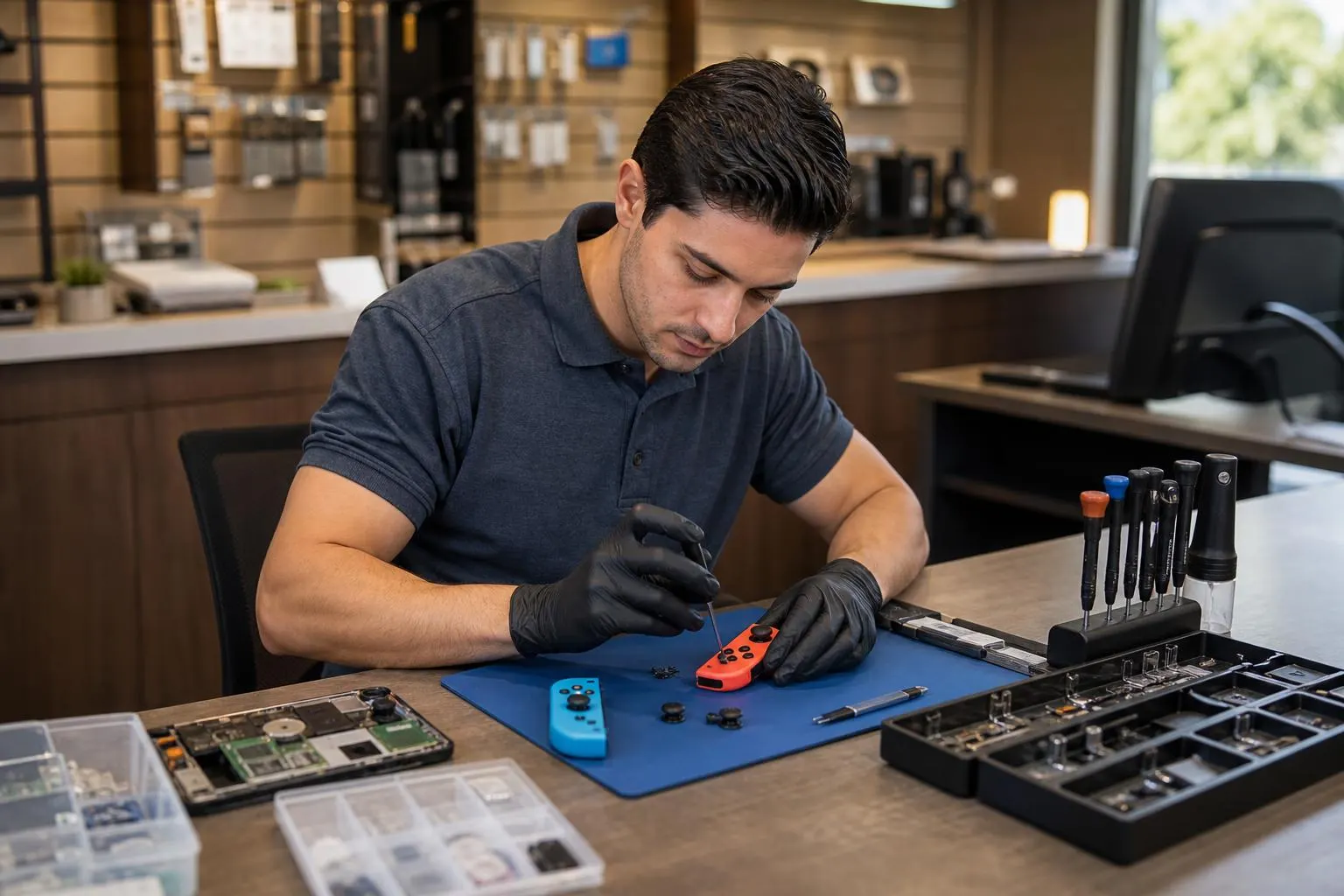
- Joy‑Con drift — analog sticks register movement without input. Repair options include calibration, contact cleaning, or joystick replacement. For online repair guides and step‑by‑step parts replacement, independent repair guides such as iFixit cover the details. (
- Battery or power issues — the console won’t charge or shuts off. Technicians test the battery, charging port and power-management board and replace components when needed.
- Damaged screen (Switch LCD or OLED) — cracked screens and display artifacts are replaced with compatible panels and tested for color/brightness calibration.
- Charging port or dock HDMI problems — bent contacts or worn ports are repaired or replaced; HDMI issues often require board-level inspection.
- Liquid exposure and data concerns — devices receive a controlled inspection, corrosion cleaning, and dry-time recommendations; recovery options vary by damage severity.
Official Nintendo service vs. local repair shop: what to consider
Nintendo offers an official repair service and a way to submit service requests for Switch consoles and accessories. If your device is under warranty or you prefer factory service, start with Nintendo’s repair pages to set up a service request. Official service may be the best option for some in‑warranty defects. (
Local repair shops like Fixit Solutions handle many out‑of‑warranty repairs and can be faster or less expensive for common problems (Joy‑Con drift, charging ports, screen replacement). Local shops also let you inspect parts and sometimes provide faster same‑day turnaround for simple fixes.
What to expect when you bring a Switch to Fixit Solutions
- Free initial estimate or affordable diagnostic: We inspect the console, run basic tests and explain repair options before you authorize work.
- Transparent pricing: We list parts, labor and any warranty on replaced parts.
- Turnaround time: Many joystick or charging-port repairs can be completed the same day or within 1–3 business days depending on parts availability. More complex board repairs may take longer.
- Data safety: We take steps to preserve saves and advise on backups when the repair could require full system resets or storage replacement.
DIY repairs: when it’s reasonable and when to avoid them
If you’re comfortable with small electronics, cleaning or replacing a Joy‑Con joystick is possible using published guides and replacement parts; iFixit provides detailed instructions and parts lists for Joy‑Con disassembly and joystick replacement. However, DIY repairs carry risk: using incorrect tools, static discharge, or poor reassembly can cause further damage. If you value a fast, warranty‑backed repair, consider professional service instead. (
How Fixit Solutions protects your repair
At our Lake Forest shop we follow best practices: ESD‑safe workstations, genuine or high‑quality compatible parts, and post‑repair testing on controllers, docks and docked/handheld modes. We document the work and provide a limited repair warranty on parts and labor so you know what to expect after pickup.
Where to bring your Switch in Lake Forest
Fixit Solutions Inc.
23361 El Toro Rd Suite 107
Lake Forest, CA 92630
Hours: Monday–Saturday, 9:30 AM–6:00 PM
Phone: 878‑787‑6642
Email: support@xfixit.com
Contact Fixit Solutions today to request a free estimate, schedule a repair or discuss your business technology needs. Our shop handles consoles, phones, laptops and more — if your issue overlaps with other devices we can often help (for example, if HDMI or display repair involves a dock or TV setup).
Tips to prepare your Switch before repair
- Back up save data where possible (cloud saves or system transfer).
- Remove microSD card and any game cards before dropping it off.
- Charge the battery to at least 20% if the device powers on — it helps with diagnostics.
- Bring your original receipt or proof of purchase if you plan to check warranty options with Nintendo.
Price and turnaround examples (typical)
Every repair is different; these example ranges are typical for local shops but not a formal quote:
- Joy‑Con joystick replacement: usually quick and commonly same‑day.
- Charging port repair: 1–3 business days depending on board access.
- Screen (LCD/OLED) replacement: 1–3 business days if parts are in stock.
We always provide a written estimate before work begins and confirm any changes to parts or price.
Related services
Fixit Solutions repairs many devices beyond the Nintendo Switch. If you also need console repairs for other systems or computer services, we can help:
When to contact Nintendo first
If your Switch is still under the original manufacturer’s warranty or if Nintendo has an active service policy for your issue, contact Nintendo Support to learn about their repair or replacement options and how to submit a service request. Official service routes are often recommended for in‑warranty solutions. (
FAQs — Nintendo Switch repair near me
How long will my Nintendo Switch repair take?
Turnaround depends on the repair: simple Joy‑Con or charging‑port repairs can be same day; screen replacements and board repairs typically 1–3 business days. We confirm an estimated completion time at diagnosis.
Do you fix Joy‑Con drift?
Yes. We troubleshoot drift to determine whether calibration, cleaning, or joystick replacement is required. DIY guides exist, but professional replacement reduces risk and often includes a parts warranty. (
Can Nintendo repair the Switch for free?
If your issue is covered under warranty or an official service program, Nintendo’s repair service may be free. Check Nintendo Support for current policies and to submit a repair request. (
Will repairs delete my save data?
Most hardware repairs do not intentionally erase save data, but some deeper repairs or board replacements can. We recommend backing up saves to the cloud (if available) or performing a system transfer before repair when possible.
Do you offer warranties on repaired parts?
Yes — Fixit Solutions provides a limited warranty on parts and labor. Specific terms vary by repair type; we include the warranty in your written estimate.
Ready to get started?
If you searched for “nintendo switch repair near me” and want fast, local service in Lake Forest, call Fixit Solutions at 878‑787‑6642 or bring your device to our shop at 23361 El Toro Rd Suite 107. We’ll diagnose the issue, explain options, and begin repairs once you approve the estimate.
Sources and further reading
- iFixit Joy‑Con repair guide — Step‑by‑step independent repair instructions for Joy‑Con cleaning and joystick replacement; useful when explaining DIY risks and part-level fixes.
Frequently asked questions
How long will my Nintendo Switch repair take?
Turnaround depends on the fault: Joy‑Con or charging‑port repairs are often same day; screen or board‑level repairs usually take 1–3 business days. Fixit Solutions confirms expected timing at diagnosis.
Do you fix Joy‑Con drift?
Yes. We troubleshoot drift to determine whether calibration, cleaning, or joystick replacement is required. Professional replacement reduces risk and often includes a parts warranty.
Can Nintendo repair the Switch for free?
If the issue is covered under the device warranty or an active Nintendo service program, official repairs may be free. Check Nintendo Support and submit a service request to confirm eligibility. (
Will repairs delete my save data?
Most hardware repairs do not intentionally erase save data, but some board replacements or full system repairs may. Back up cloud saves or perform a system transfer when possible before repair.
Do you offer a warranty on repairs?
Yes. Fixit Solutions provides a limited parts-and-labor warranty; exact terms depend on the repair type and are included with your written estimate.
Contact us
𝔽𝕚𝕩𝕚𝕥 𝕊𝕠𝕝𝕦𝕥𝕚𝕠𝕟𝕤 𝕚𝕟𝕔
23361 El Toro Rd Suite 107 Lake forest CA 92630
Service area: Lake Forest,
Phone: 8787876642
Email: support@xfixit.com
Hours: Monday–Saturday, 9:30 AM–6:00 PM
Contact Fixit Solutions today to request a free estimate, schedule a repair or discuss your business technology needs.