
Phone Fix Water Damage: Immediate Steps & Repair Options in…
Fast, practical guidance for a phone fix water damage emergency—what to do right away, repair and data-recovery options, and how Fixit Solutions handles liquid-damaged devices in Lake Forest.
View article sections
- 01First 60–120 seconds: safe immediate actions
- 02What NOT to do
- 03Short-term drying you can safely try
- 04Why professional inspection matters
- 05What a technician at Fixit Solutions will do
- 06Typical repair options & likely outcomes
- 07Data recovery considerations
- 08Cost, turnaround, and what affects estimates
- 09When replacement is more practical than repair
- 10How to reduce future risk
- 11Why choose Fixit Solutions Inc. in Lake Forest?
- 12Drop‑off checklist for faster service
- 13Contact Fixit Solutions Inc. — Lake Forest
- 14References and further reading
- 15Frequently asked questions
- 16Sources and further reading
- 17Frequently asked questions
- 18Contact us
phone fix water damage: if your phone just got wet, quick and correct steps can mean the difference between a simple repair and permanent failure. This guide explains what to do immediately, what professional technicians check, repair and data-recovery options, and how Fixit Solutions Inc. approaches liquid-damaged devices in Lake Forest.
First 60–120 seconds: safe immediate actions
Remove the phone from the liquid and get yourself to a safe place. Power it off if it’s still on. Remove any case and the SIM card or tray so liquid can escape and the tray doesn’t trap moisture. Wipe the outside gently with a lint-free cloth and keep ports facing down so gravity can help drain remaining liquid.
Avoid plugging the phone into a charger or connecting it to a computer to test it—charging a wet device can short circuits and make internal damage worse. For guidance specific to iPhones and Apple’s recommendations, see Apple’s support guidance about water, charging and drying. (
What NOT to do
- Don’t use a hair dryer or other heat source—high heat can melt adhesives, warp components, and damage batteries.
- Don’t shake the phone aggressively—this can push liquid into new areas.
- Don’t stick cotton swabs, paper towels, or other fibrous materials into ports—they can leave lint or push debris inside.
- Don’t put your phone in uncooked rice—rice is an unreliable drying method and can introduce dust or starch that complicates repair. Authoritative repair guides and consumer reporting advise against rice and recommend professional inspection for many exposures. (
Short-term drying you can safely try
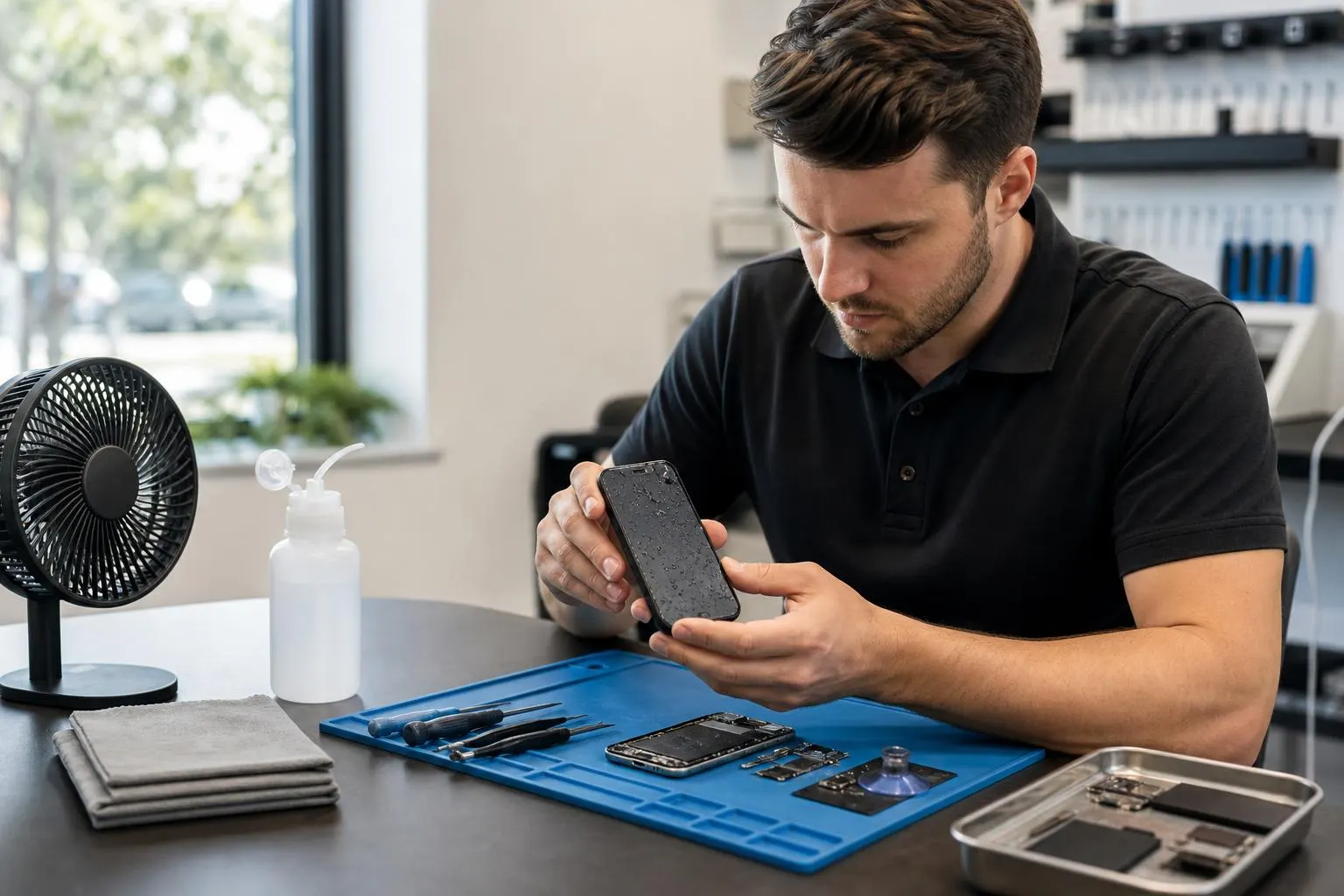
After the exterior is wiped and ports face down, place the phone in a dry, ventilated area. Pointing a fan at cool air into the ports can help. Wait several hours (Apple suggests waiting before charging or powering back on). If the device fell into salt water, pool water, or a sugary/acidic liquid (coffee, soda), bring it to a repair shop immediately—those liquids leave corrosive residue that worsens quickly. (
Why professional inspection matters
Liquid damage is often hidden. Even if the phone powers on, corrosion and oxidized solder joints can cause intermittent failure, weakened connections, and long-term faults. Professional technicians perform a complete diagnostic, inspect liquid contact indicators, dismantle the device when needed, and clean corrosion from the logic board and connectors with appropriate solvents and tools—steps many consumer fixes don’t include. Trusted repair guides emphasize that disassembly and targeted cleaning are the best ways to prevent progressive corrosion. (
What a technician at Fixit Solutions will do
When you bring a water-exposed phone to Fixit Solutions Inc., we follow a clear, documented process:
- Safe intake and triage: record symptoms, the type of liquid exposure, and how long the device was submerged.
- Power and safety check: verify battery condition and disconnect power where required to prevent shorts.
- Visual inspection: check Liquid Contact Indicators (LCIs), ports, speakers, and the logic board for visible corrosion or residue.
- Controlled disassembly and cleaning: where needed, the team disassembles the phone, cleans corrosion with high‑purity isopropyl alcohol and appropriate tools, and dries components with low‑temperature methods. Thorough cleaning may require repeated cycles and targeted replacement of corroded parts. (
- Component testing and replacement: test individual parts (display, battery, charging port, microphones, cameras). Replace components that are damaged beyond repair.
- Software check & data recovery: run diagnostics, attempt file system access, and prioritize data recovery before replacing parts that could erase storage. If internal storage is physically damaged, specialist data-recovery work may be required.
Typical repair options & likely outcomes
Repair depends on the liquid type, exposure duration, and which components were affected. Common outcomes include:
- Successful recovery after cleaning and part replacement (charging port, battery, speaker).
- Partial recovery with some features nonfunctional (e.g., camera or Face ID may fail even if core functions return).
- Irreparable logic-board damage requiring replacement of the device or logic board—this is more common when corrosion is advanced or the device sat wet for many hours.
Because corrosion can progress, faster action improves the odds of repair. iFixit and other repair authorities note that liquid damage tends to worsen with time, so early professional cleaning offers the best chance of success. (
Data recovery considerations
If your priority is photos, messages, or other files, tell the technician right away. Technicians will try non-invasive data extraction first (booting into a safe diagnostic mode, using connectors only after ports are safe). If storage chips are intact but the phone won’t power, board-level techniques may recover data. Full recovery depends on whether the storage chip is physically corroded or damaged.
Cost, turnaround, and what affects estimates
There’s no single price for a phone fix water damage case; estimates depend on labor, parts, and whether board-level cleaning or parts replacement is needed. Common factors that affect turnaround and cost:
- Device model and availability of OEM-equivalent parts (newer, rarer models can take longer).
- Type of liquid (salt and sugary liquids are harder and faster to corrode).
- How long the device was exposed and whether it was powered while wet.
- Need for board-level repair or data-recovery specialists.
Fixit Solutions provides a clear estimate and options before any authorized work begins—ask for a written estimate and a timeline when you drop off your device. Our typical intake hours are Monday–Saturday, 9:30 AM–6:00 PM at our Lake Forest shop; call ahead to confirm parts and same‑day availability.
When replacement is more practical than repair
If the logic board is severely corroded or the cost of parts and labor approaches the price of a replacement device, we will explain that replacement is the most reliable and cost-effective choice. For devices under warranty or AppleCare+, check manufacturer coverage before third‑party repairs; liquid indicators often void warranty coverage, and Apple lists practical safety and service guidance for water-exposed iPhones. (
How to reduce future risk
- Use a rated waterproof case for boating, beach days, or poolside use.
- Keep charging and audio ports covered with dust plugs when in risky environments.
- Back up regularly—cloud or local backups are the simplest way to avoid catastrophic data loss after liquid exposure.
- Turn off phones near liquids if they drop or get splashed; avoid attempting to power on until fully dried or inspected.
Why choose Fixit Solutions Inc. in Lake Forest?
Fixit Solutions provides honest diagnosis, clear service options, and estimates before authorized work begins. We follow professional cleaning protocols, prioritize data recovery when requested, and maintain transparent communication about parts, costs, and timelines. Visit our detailed service page for water damage repair to learn more about intake steps and repair options. Water Damage Repair Phone: Immediate Steps & Repair Options
For model-specific repair options, we service popular devices including iPhone 14 Pro Max and others—check the model pages for common part and turnaround information. iPhone 14 Pro Max Repair: Fast Screen, Battery & Water-Damage…
Need a quick local referral for where to bring the phone? See our guide on who fixes phones near me for same‑day drop-off and contact details. Who Fix Phones Near Me — Reliable Phone Repair in Lake Forest
Drop‑off checklist for faster service
- Bring the device and any accessories (charger, cable) stored separately if they were wet.
- Note exactly what happened and the liquid type—salt water, pool, coffee, etc.
- If possible, bring proof of ownership (receipt or account info) to speed diagnostics and any reseller paperwork.
- Provide a contact number or email; we will confirm estimates before proceeding.
See our full how-to and next-step guide for water-damaged phones for more detailed intake information. What to Do Next: Water Damaged Phone Repair Guide
Contact Fixit Solutions Inc. — Lake Forest
Address: 23361 El Toro Rd Suite 107, Lake Forest, CA 92630
Phone: 878‑787‑6642
Email: support@xfixit.com
Hours: Monday–Saturday, 9:30 AM–6:00 PM
Contact Fixit Solutions today to request a free estimate, schedule a repair or discuss your business technology needs.
References and further reading
Manufacturer and repair guides provide practical, safety-first advice on liquid exposure and board-level cleaning. See Apple’s water and dust resistance guidance and repair references from an independent repair authority. (
Frequently asked questions
How long should I wait to turn my phone back on after it got wet?
Wait at least several hours and ensure ports look dry; Apple recommends waiting before charging or powering on. If you’re unsure, bring the phone in for inspection to avoid powering a wet device. (
Is it safe to put my phone in rice?
No. Rice is not a recommended repair method—repair professionals and recent consumer guidance advise against it because rice may trap dust and does not reliably stop corrosion. Professional cleaning is a safer, more effective approach. (
Can you always recover photos and messages from a water-damaged phone?
Often yes, if the storage chips are intact and the phone can be powered or accessed via board‑level recovery. If the storage chip has physical corrosion or has been replaced without backing up, recovery becomes more difficult and may require specialized services.
How long does a typical water-damage repair take?
Turnaround varies. Simple cleaning and one-part replacement can be same‑day or 48 hours; board‑level cleaning and multiple parts can take several days to a week depending on parts availability and the severity of corrosion.
Will liquid damage be covered by warranty or AppleCare?
Liquid damage is usually excluded from standard warranties, though AppleCare+ may cover accidental liquid damage with a service fee. If you have warranty or AppleCare concerns, check your coverage before third‑party repairs; Apple’s support pages describe water resistance and service rules. (
Sources and further reading
- Apple support: iPhone water resistance and what to do if it gets wet — Authoritative manufacturer guidance on water exposure, charging precautions, and service implications for iPhones.
- iFixit guide: repairing and cleaning liquid damage — Independent repair-community guide detailing disassembly, board cleaning, and why professional cleaning prevents corrosion.
Frequently asked questions
How long should I wait to turn my phone back on after it got wet?
Wait at least several hours after drying ports and exterior. If you’re unsure whether internal moisture remains, bring the phone to a repair shop—powering or charging a wet device risks short circuits.
Is it safe to put my phone in rice?
No. Rice is an unreliable drying method and can introduce dust or starch. Professional inspection and board cleaning are recommended for best chances of recovery.
Can you recover data from a water-damaged phone?
Often yes if the storage chip is intact. Technicians attempt non-invasive backups first; if those fail, board-level data‑recovery may be needed, which can increase cost and time.
How long will repairs take and what affects the cost?
Turnaround ranges from same‑day (simple cleaning/part swap) to several days (board cleaning, multiple parts). Cost depends on device model, type of liquid, exposure duration, and whether board-level repair or specialized recovery is required.
Will warranty or AppleCare cover liquid damage?
Liquid damage often voids standard warranties, though AppleCare+ may cover accidental liquid damage with a service fee. Check your coverage before third‑party repairs.
Contact us
𝔽𝕚𝕩𝕚𝕥 𝕊𝕠𝕝𝕦𝕥𝕚𝕠𝕟𝕤 𝕚𝕟𝕔
23361 El Toro Rd Suite 107 Lake forest CA 92630
Service area: Lake Forest,
Phone: 8787876642
Email: support@xfixit.com
Hours: Monday–Saturday, 9:30 AM–6:00 PM
Contact Fixit Solutions today to request a free estimate, schedule a repair or discuss your business technology needs.