
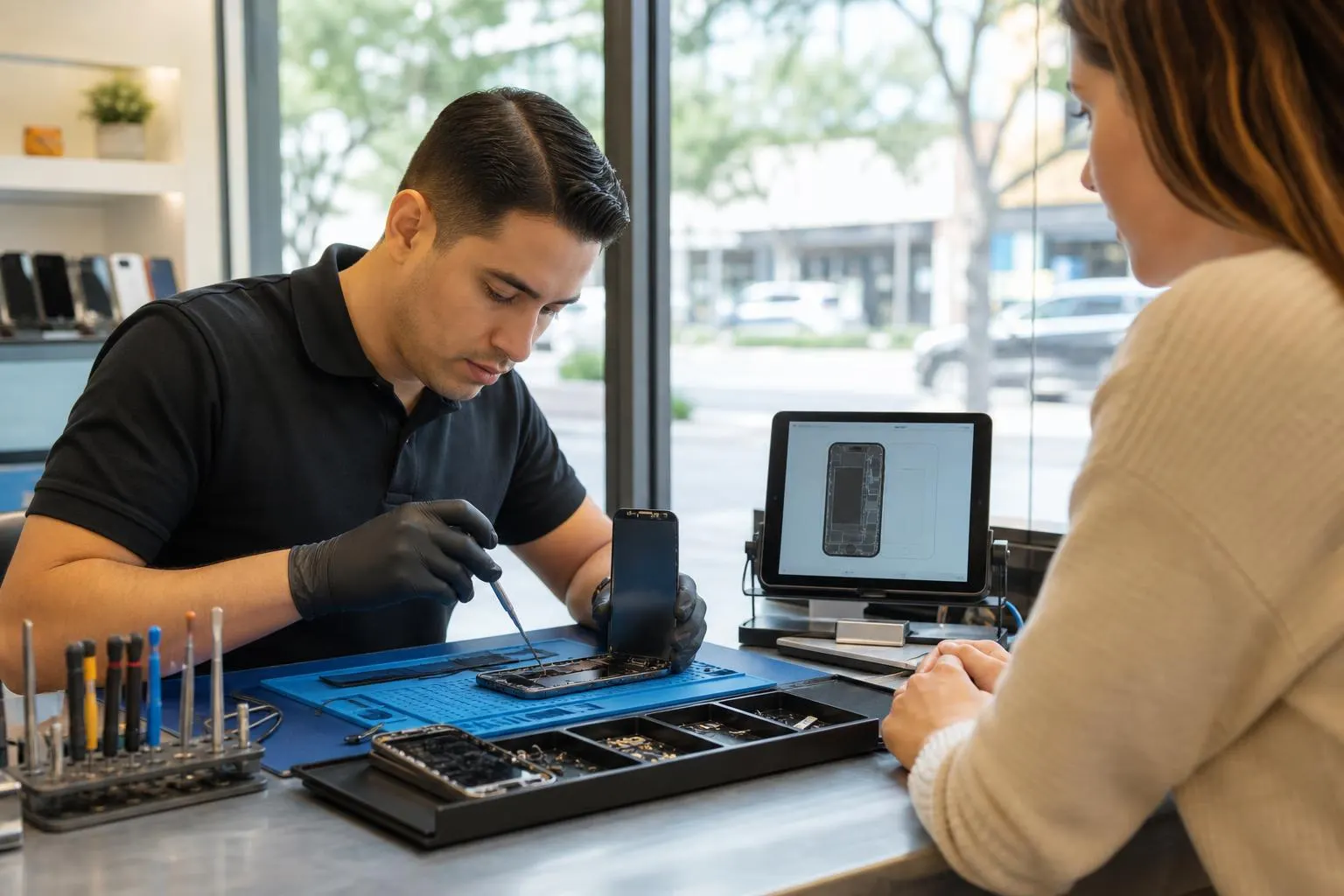
Who Fixes Cell Phones Near Me — Lake Forest Phone Repair Guide
A practical local guide to finding a trustworthy phone repair shop near Lake Forest — what to ask, how to prepare your device, red flags to avoid, and how Fixit Solutions inc can help.
View article sections
- 01Quick answer: where to find local phone repair
- 02Where to search and what to compare
- 03Five questions to ask before you choose a repair shop
- 04How to prepare your phone before repair
- 05What the law and consumer guidance say about repairs
- 06Why shop policies and transparency matter
- 07Red flags to avoid
- 08How Fixit Solutions inc handles phone repairs in Lake Forest
- 09If something goes wrong after the repair
- 10Common repairs you can expect locally
- 11Practical checklist before you leave for the shop
- 12Final tips
- 13Frequently asked questions
- 14Frequently asked questions
- 15Contact us
If you typed who fixes cell phones near me and landed here, you want a reliable local shop that will diagnose and repair your smartphone without surprises. This guide explains where to look locally, what to ask before handing over your device, how to protect your data, and steps you can take if something goes wrong — plus how Fixit Solutions inc in Lake Forest can help.
Quick answer: where to find local phone repair
Start with Google Maps or Apple Maps and search “who fixes cell phones near me” or “phone repair near me,” then narrow results by recent reviews, clear business hours, and whether the shop lists parts and warranty information. Also check local business directories and community groups for recommendations. When in doubt, call the shop and ask the specific questions listed below.
Where to search and what to compare
- Map listings: Google Maps gives distance, hours, user ratings, and photos — use these to shortlist shops.
- Local directories and BBB: look for accredited listings or a history of customer-service responsiveness.
- Community recommendations: neighborhood Facebook groups, Nextdoor, and Yelp often surface local experiences (both good and bad).
- Shop websites: check whether a shop publishes a repair menu, parts brands (OEM vs aftermarket), and a repair warranty.
Five questions to ask before you choose a repair shop
Calling ahead saves time and reduces surprises. Ask:
- Do you provide a written estimate and receipt? A clear receipt and itemized invoice protect you if follow-up is needed.
- What kind of parts do you use and do they come with a warranty? Ask whether parts are OEM, aftermarket, or refurbished and how long the parts or labor warranty lasts.
- How do you handle data and privacy? Confirm whether the technician will access apps, and whether the shop follows any written data-privacy practices.
- What is the expected turnaround time? Ask for a realistic estimate and how the shop communicates status updates.
- Is there a diagnostic fee, and is it credited toward the repair? Knowing this up front avoids surprise charges.
How to prepare your phone before repair
Protecting your personal data and ensuring a smooth repair starts before you arrive. Back up your phone, remove any SIM or SD cards, and sign out of accounts when possible. The Federal Trade Commission recommends steps to remove personal information before you hand a device to someone else, including backing up data and removing accounts tied to the device. (
- Back up your data: Use iCloud, Google Drive, or a local computer backup so you can restore settings and photos if needed.
- Remove or disable security locks if asked: Some repairs require a technician to unlock the device for testing — discuss this beforehand and consider staying in the shop while they test.
- Remove SIM/SD cards: These often store contacts or media that you may not want others to access.
- Record condition and accessories: Note cosmetic damage and keep a record of included accessories to avoid later disputes.
What the law and consumer guidance say about repairs
Federal consumer guidance explains that manufacturers sometimes limit repair options by restricting parts, tools, or information — but you still have options, and in many cases independent repair won’t void existing warranties. If a manufacturer claims independent repair voids a warranty, check federal guidance and report questionable warranty practices to the FTC. (
Why shop policies and transparency matter
A trustworthy shop will:
- Provide a written estimate and a clear parts/labor warranty.
- Explain whether parts are OEM or aftermarket.
- Give a realistic turnaround time and status updates.
- Offer courteous inspection and a clear method for reporting issues after service.
Red flags to avoid
- No written receipt or vague invoices.
- Refusal to describe the parts used or how long a repair is guaranteed.
- Unreasonably low price with unclear timeline — could be a bait-and-switch or inferior parts.
- Poor communication: long periods without status updates, no way to contact a manager.
How Fixit Solutions inc handles phone repairs in Lake Forest
Fixit Solutions inc offers phone diagnostics and repair services at 23361 El Toro Rd Suite 107, Lake Forest, CA 92630. Call the shop to confirm availability and get an estimate: 8787876642. For service options and to schedule, see our Repair Desk or request an Instant Quote. (Contact and location pages are linked below.)
We recommend calling ahead so the team can confirm parts availability and expected turnaround time. Contact us to schedule service or request a quote.
Useful links:Who Fix Phones Near Me — Reliable Phone Repair in Lake Forest, Repair Desk, iPhone Repair in Lake Forest, CA, Contact.
If something goes wrong after the repair
Start by returning to the shop with your receipt and describing the issue. A reputable shop will inspect the device and correct covered problems under their parts or labor warranty. If the shop refuses to address a clear warranty issue or you suspect deceptive practices, federal guidance explains options for reporting unfair repair restrictions and other consumer concerns to the FTC. Keep records of estimates, invoices, and communications. (
Common repairs you can expect locally
Local shops typically handle: screen replacements, battery replacements, charging port repairs, camera fixes, and water-damage diagnostics. Complexity varies by model and age; confirm whether your specific phone model has commonly available parts.
Practical checklist before you leave for the shop
- Back up your phone and remove SIM/SD cards. (
- Bring the original proof of purchase or any existing warranty paperwork if you have it.
- Note your device’s passcode policy and whether you’ll need to unlock the phone for testing.
- Ask for an itemized written estimate and a copy of the shop’s repair warranty.
Final tips
Use online reviews to learn about communication and aftercare more than single-star ratings. A shopper who documents a timely repair and clear warranty policies is usually a safer pick than one that advertises only the cheapest price. When you need help right away, calling the shop and asking the five questions above will give you the fastest sense of trustworthiness and capacity.
Contact Fixit Solutions inc
Address: 23361 El Toro Rd Suite 107, Lake Forest, CA 92630
Phone: 8787876642
Email: support@xfixit.com
Contact us to schedule service or request a quote.
Frequently asked questions
Q: How long does a typical screen replacement take?
A: Turnaround varies by model and parts availability. Many shops complete common screen replacements the same day if parts are in stock, but call ahead for an accurate estimate.
Q: Will an independent repair void my phone’s warranty?
A: Manufacturers sometimes claim restrictions, but federal consumer guidance explains that you have repair options and that manufacturers can’t always lawfully refuse warranty service just because an independent repair occurred. If you’re told your warranty was voided for that reason, keep records and consider reporting the practice to the FTC. (
Q: Should I remove my data before repair?
A: Yes. Back up your device and remove accounts and SIM/SD cards when possible. The FTC offers step-by-step guidance for removing personal information before recycling, selling, or repairing devices. (
Q: What if my phone has water damage?
A: Water damage can be unpredictable. Choose a shop experienced with liquid-damaged devices, ask for a diagnostic estimate, and inquire whether the shop provides any limited warranty on repairs related to the liquid damage.
Q: How can I verify a shop’s reputation?
A: Look for consistent reviews about communication and aftercare, check local business directories, and ask whether the shop offers any written guarantees. If you see repeated unresolved complaints, consider other providers.
Need a local repair partner? Contact Fixit Solutions inc to discuss your device, get an estimate, or schedule service.
Frequently asked questions
How long does a typical screen replacement take?
Turnaround varies by model and parts availability. Many shops can complete common screen replacements the same day if parts are in stock, but call ahead for an accurate estimate.
Will an independent repair void my phone’s warranty?
Manufacturers sometimes claim repair restrictions, but federal guidance explains that independent repairs don’t automatically void warranties in all cases. If a manufacturer says your warranty is void because of independent repair, keep documentation and consider reporting it to the FTC.
Should I remove my data before repair?
Yes. Back up your device, remove SIM/SD cards, and sign out of accounts when possible. The FTC provides step-by-step guidance for removing personal information before repair or disposal.
What if my phone has water damage?
Water damage outcomes vary. Choose a shop experienced with liquid-damaged devices, ask for a diagnostic estimate, and verify whether the shop offers any warranty on repairs related to water damage.
Contact us
𝔽𝕚𝕩𝕚𝕥 𝕊𝕠𝕝𝕦𝕥𝕚𝕠𝕟𝕤 𝕚𝕟𝕔
23361 El Toro Rd Suite 107 Lake forest CA 92630
Service area: Lake Forest,
Phone: 8787876642
Email: support@xfixit.com
Contact us to schedule service or request a quote.