
Apple Watch Repair: Guide to Screen, Battery & Fast Local Service
Learn common Apple Watch problems, when to choose professional repair versus Apple service, and how Fixit Solutions Inc. in Lake Forest, CA handles screen, battery and water-damage repairs.
View article sections
- 01Quick overview: Apple Watch repair options
- 02Common Apple Watch problems and likely fixes
- 03Apple service, warranty and battery policy (what Apple offers)
- 04Why many Apple Watch repairs are done by specialists
- 05DIY repairs: pros, cons and safety
- 06How Fixit Solutions Inc. approaches Apple Watch repair
- 07What to expect during a screen or battery repair
- 08When to choose Apple vs a local repair shop
- 09Data, Apple Pay and privacy — pre-repair checklist
- 10Pricing expectations and turnaround
- 11Warranty on repairs and parts
- 12How to choose a repair shop
- 13Get Apple Watch repair in Lake Forest
- 14Limitations and safety notes
- 15Frequently asked questions
- 16Sources and further reading
- 17Frequently asked questions
- 18Contact us
Quick overview: Apple Watch repair options
If your Apple Watch has a cracked screen, poor battery life, doesn’t charge, or shows water-related problems, there are three typical paths: Apple-authorized service, DIY (not usually recommended), or a qualified local repair shop like Fixit Solutions Inc. This article explains common Apple Watch issues, what to expect from each repair path, safety and data tips, and how we service Apple Watches in Lake Forest.
Common Apple Watch problems and likely fixes
Cracked or unresponsive screen: A cracked face or touch that doesn’t respond usually needs a screen replacement. Opening the display requires heat, precision tools, and careful handling of the fragile display ribbon and adhesive.
Battery capacity decline or swelling: Watch batteries wear down over time and may report low capacity, fast drain, or swelling. Many battery replacements require removing the glued display first, which exposes the screen to risk during repair.
Charging or connector problems: If your watch won’t charge, the issue can be the charging puck, the back housing sensors, or a battery that no longer accepts charge. Diagnosis is needed to avoid unnecessary parts replacement.
Water or liquid exposure: Modern Apple Watch models are water-resistant but not invulnerable. Liquid can cause corrosion or short circuits; a prompt, professional inspection reduces long-term damage.
Apple service, warranty and battery policy (what Apple offers)
Apple provides official repair and replacement services for Apple Watch through Apple Stores and Apple-authorized service providers. With AppleCare+, certain repairs are covered or offered at a lower out-of-warranty cost. Apple also replaces batteries for free if the capacity has dropped below Apple’s published threshold. For details about Apple’s repair options and eligibility, check Apple’s official repair pages. (
Why many Apple Watch repairs are done by specialists
Apple Watch models are compact and increasingly difficult to open without specialized tools and techniques. Repairability testing and teardowns show that many models require heating and careful adhesive removal to access the battery and internal components. Because the display and battery are closely integrated, a routine battery swap often begins by lifting the glued screen — a step that can damage a healthy display if done incorrectly. For these reasons, experienced technicians and proper parts are important for safe, lasting repairs. (
DIY repairs: pros, cons and safety
DIY repair guides and kits exist for many Apple Watch models, but there are real risks: static damage, punctured lithium batteries, broken display ribbons, and lost water resistance after reassembly. If you choose a DIY route, follow model-specific instructions, use the right tools and anti-static precautions, and accept that doing the work yourself may void warranties and create safety hazards. For most users we recommend professional service unless you have repair experience.
How Fixit Solutions Inc. approaches Apple Watch repair
At Fixit Solutions Inc. we begin every repair with a free diagnostic to identify the root cause and present clear options and estimates before any work starts. Our typical process:
- Initial inspection and battery/screen/charging test.
- Estimate that lists parts, labor and an approximate turnaround time.
- Repair with model-fit parts or Apple-authorized components when available.
- Post-repair testing for functionality and water resistance (when applicable).
We repair Apple Watch screens, batteries, charging issues, and perform liquid-damage inspection and cleaning. Turnaround depends on model and parts availability; we’ll give a realistic time and cost estimate before you approve work.
What to expect during a screen or battery repair
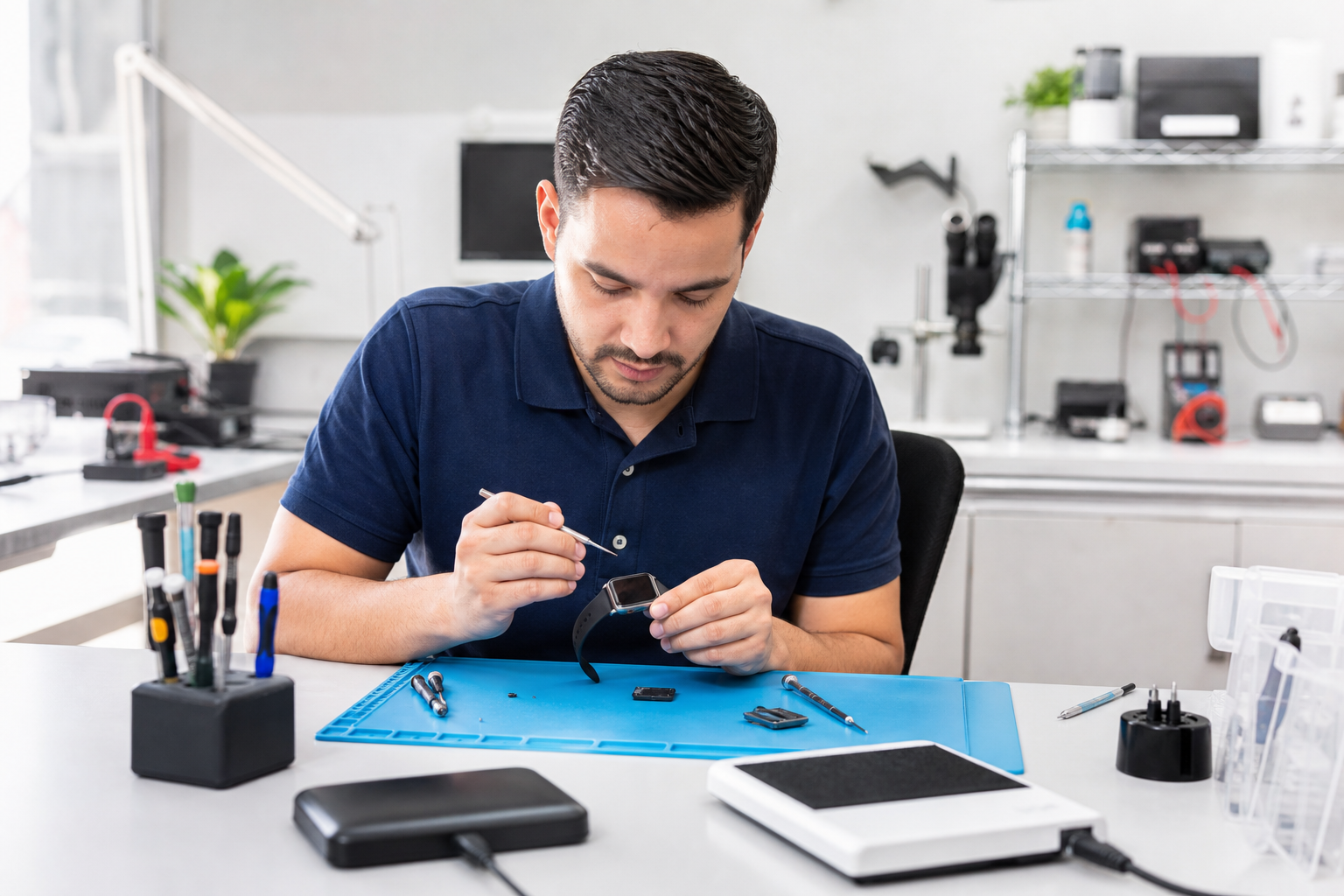
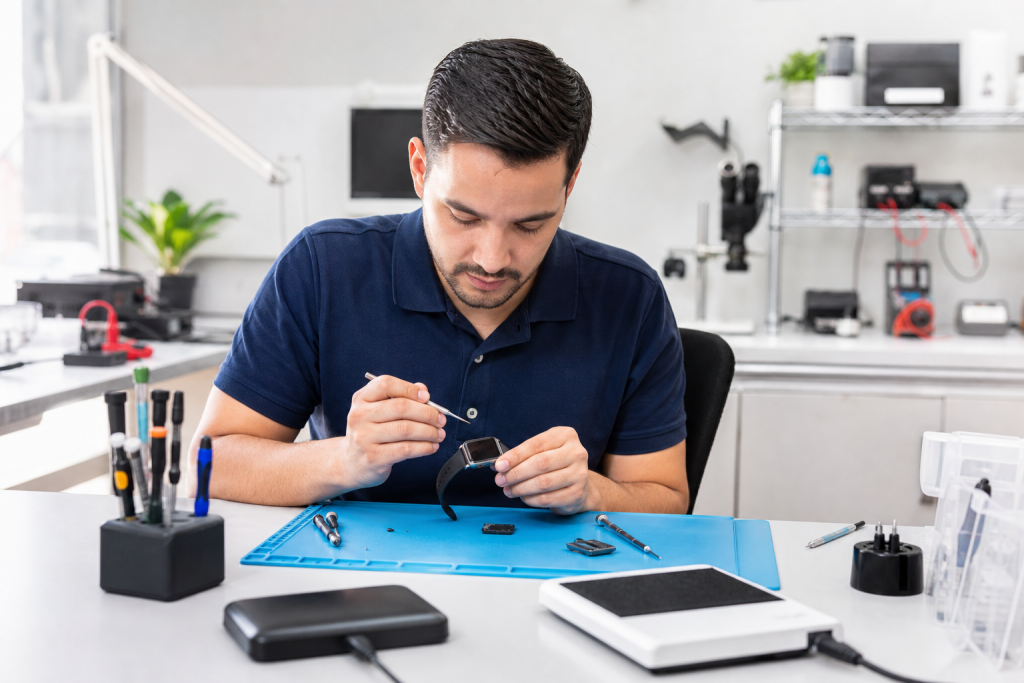
Screen replacement: Technicians soften the adhesive with gentle heat, lift the display, disconnect display ribbons, replace the needed components, and reseal the unit with correct adhesive to restore fit and water resistance where possible. Because the display is sensitive, reputable shops aim to protect the original screen whenever feasible. (
Battery replacement: Once the display is open, the old battery is removed and a replacement (OEM-equivalent or better) is installed. We inspect connectors and the charging system while the watch is open, reducing the chance of repeat visits.
When to choose Apple vs a local repair shop
- Choose Apple (or an authorized provider) if your watch is covered under warranty or AppleCare+ and you want Apple parts/repair records on file. Apple’s official repair pages explain eligibility and coverage. (
- Choose a trusted local shop like Fixit Solutions if you need faster turnaround, lower out-of-warranty pricing, or want a local point of contact for follow-up service. A local shop is also a good option for older models no longer supported by official replacement programs.
Data, Apple Pay and privacy — pre-repair checklist
Before handing your watch to a repair shop or to Apple, do these quick steps:
- Unpair the Apple Watch from your iPhone to back up its settings and remove Activation Lock if requested by the repair provider.
- Remove any passcodes and, when possible, sign out of services such as Apple Pay (remove cards under Wallet) for security.
- Note your watch model and size (e.g., Series 7, 45mm), since parts vary by model.
If you prefer, a technician can guide you through steps to back up and unpair safely before we begin service.
Pricing expectations and turnaround
Prices vary by model and damage: a simple battery replacement on an older model will typically cost less than a full-screen replacement on a newer Apple Watch. Turnaround can be same-day to several days depending on parts. At Fixit Solutions we provide an estimate after diagnostic and will not begin work without your approval. For model-specific pricing and availability, contact our shop or request a free estimate. Contact details at the end of this article.
Warranty on repairs and parts
Fixit Solutions stands behind repairs with a limited parts-and-labor warranty. Exact warranty length and exclusions (for water damage after reassembly, accidental damage, etc.) will be provided on your repair ticket. We never recommend misleading guarantees — honest estimates and transparent warranty terms are part of our service promise.
How to choose a repair shop
Look for clear diagnostics, written estimates, genuine or high-quality replacement parts, trained technicians, and a stated warranty. Local availability, positive local reviews, and the ability to show repair procedures or parts examples are also helpful indicators.
Get Apple Watch repair in Lake Forest
Fixit Solutions Inc. at 23361 El Toro Road, Suite 107, Lake Forest, CA provides Apple Watch screen, battery, charging and liquid-damage inspection services. We offer honest diagnostics, clear estimates, and local follow-up support. Contact Fixit Solutions today to request a free estimate, schedule a repair or discuss your business technology needs.
Hours: Monday–Saturday, 9:30 AM–6:00 PM. Phone: +1-878-787-6642. Email: support@xfixit.com.
Apple Watch Repair in Lake Forest, CA • iPhone Repair in Lake Forest, CA • MacBook Repair in Lake Forest, CA • Professional Computer Repair & IT Support in Lake Forest
Limitations and safety notes
Some repairs (especially recent Apple Watch models) remain challenging because of adhesive, small connectors, and limited access to official parts. If a repair risks additional damage to an otherwise functional component, we will disclose that risk and offer alternatives, including sending the device to an Apple-authorized service provider where appropriate. (
Frequently asked questions
1. How long does an Apple Watch screen replacement take?
Turnaround varies by model and parts availability. Many local shops complete common repairs in 1–3 business days; some simple repairs may be same-day if parts are in stock.
2. Will replacing the screen or battery affect water resistance?
Proper resealing with correct adhesive restores water resistance on many models, but shop warranties and the manufacturer’s specifications determine exact protection levels after a repair.
3. Can you repair an Apple Watch with a swollen battery?
Yes — swollen batteries should be handled promptly and replaced. Don’t puncture or compress the battery; leave removal to trained technicians with appropriate tools.
4. Is DIY battery replacement safe?
DIY battery swaps carry risks (punctured battery, display damage, lost water resistance). If you lack experience and model-specific tools, a professional repair is the safer choice.
5. Do I need to remove Apple Pay and unpair my watch before repair?
Unpairing backs up your watch and removes Activation Lock. Removing Apple Pay cards is recommended for privacy. If you need help, Fixit Solutions can guide you through the pre-repair steps.
Call to action: Contact Fixit Solutions Inc. at +1-878-787-6642 or support@xfixit.com to request a free estimate or schedule an Apple Watch repair in Lake Forest.
Sources and further reading
- Apple Support — Apple Watch repair options — Authoritative source on Apple’s official repair options, AppleCare coverage and battery-replacement policy.
- iFixit screen replacement guide — Detailed, model-specific repair procedures and notes on repair complexity and adhesive handling.
Frequently asked questions
How long does an Apple Watch screen replacement take?
Turnaround varies by model and parts availability. Many local shops complete common repairs in 1–3 business days; some simple repairs may be same-day if parts are in stock.
Will replacing the screen or battery affect water resistance?
Proper resealing with correct adhesive can restore water resistance for many models, but results vary by model and repair quality. Ask your technician about post-repair testing and warranty terms.
Can you repair an Apple Watch with a swollen battery?
Yes. Swollen batteries should be handled promptly by trained technicians to avoid puncture or fire risk. A professional can safely remove and replace the battery and inspect other components.
Is DIY battery replacement safe?
DIY battery swaps carry real risks, including puncturing the battery, damaging the display ribbon, and voiding warranties. If you lack experience and the proper, model-specific tools, professional repair is the safer option.
Do I need to remove Apple Pay and unpair my watch before repair?
Unpairing backs up your watch and removes Activation Lock; removing Apple Pay cards is recommended for privacy. If you need help, technicians can guide you through pre-repair steps or perform them with your permission.
Contact us
Fixit Solutions Inc.
23361 El Toro Road, Suite 107
Service area: Lake Forest, CA
Phone: +1-878-787-6642
Email: support@xfixit.com
Hours: Monday–Saturday, 9:30 AM–6:00 PM
Contact Fixit Solutions today to request a free estimate, schedule a repair or discuss your business technology needs.